
Batch operations
Anything worth doing to one sheet is worth doing to eighty sheets while you get coffee.
The Batch Suite lives in the Batch panel (View tab → panel toggles → Batch; it docks under the Library). Pick an operation, configure it in a short dialog, and it lands in a job queue that runs in the background — you can keep measuring while it works, and cancel a queued job before it starts.
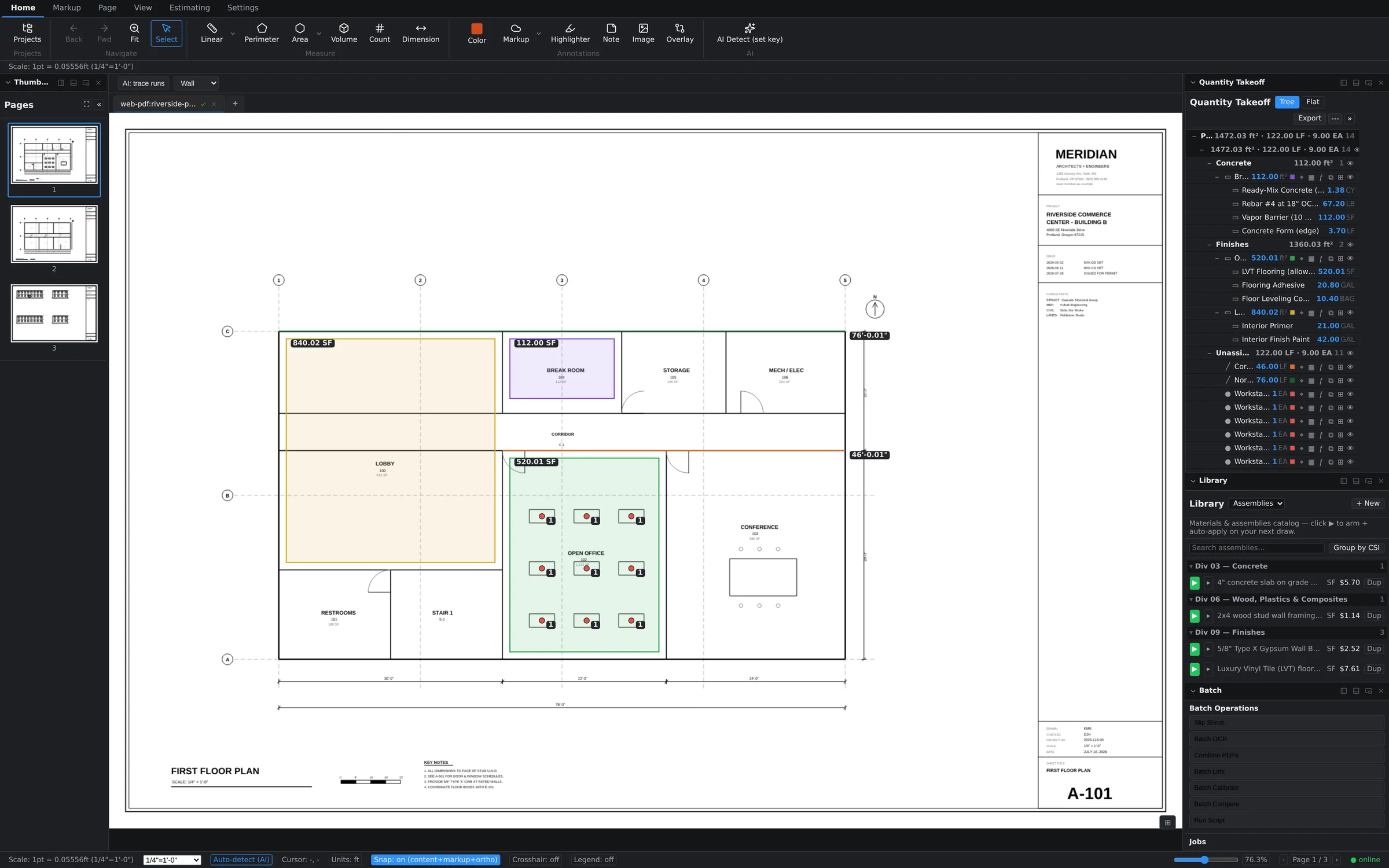
The seven operations
- Slip Sheet — swap revised pages into a working set while keeping page order intact. The classic "Addendum 2 replaced sheets A-101 through A-110" chore, done in one pass instead of ten inserts and ten deletes.
- Batch OCR — run text recognition across scanned sheets so search, links, and text selection work on drawings that arrived as flat images.
- Combine PDFs — merge multiple files into one document, with control over where the incoming pages are inserted.
- Batch Link — generate sheet-number hyperlinks across the set, so callouts like "see A-201" become clickable navigation.
- Batch Calibrate — apply a scale to a whole page range at once instead of calibrating sheet by sheet. Pages you calibrate individually afterward keep their own override.
- Batch Compare — diff a pair of documents page-by-page and produce difference output, so you can sweep a revision for changes before deciding where to spend compare time on the live canvas.
- Run Script — run one of your saved automation scripts as a batch job (more below).
How the queue behaves
- Click an operation in the Batch Operations list and fill in its configuration dialog (page ranges, source files, output).
- The job appears in the Jobs section with its status. Jobs run one at a time, in order.
- Queue several jobs back-to-back — slip sheet, then OCR, then link — and let them run as a pipeline.
Run Script and the Scripts panel
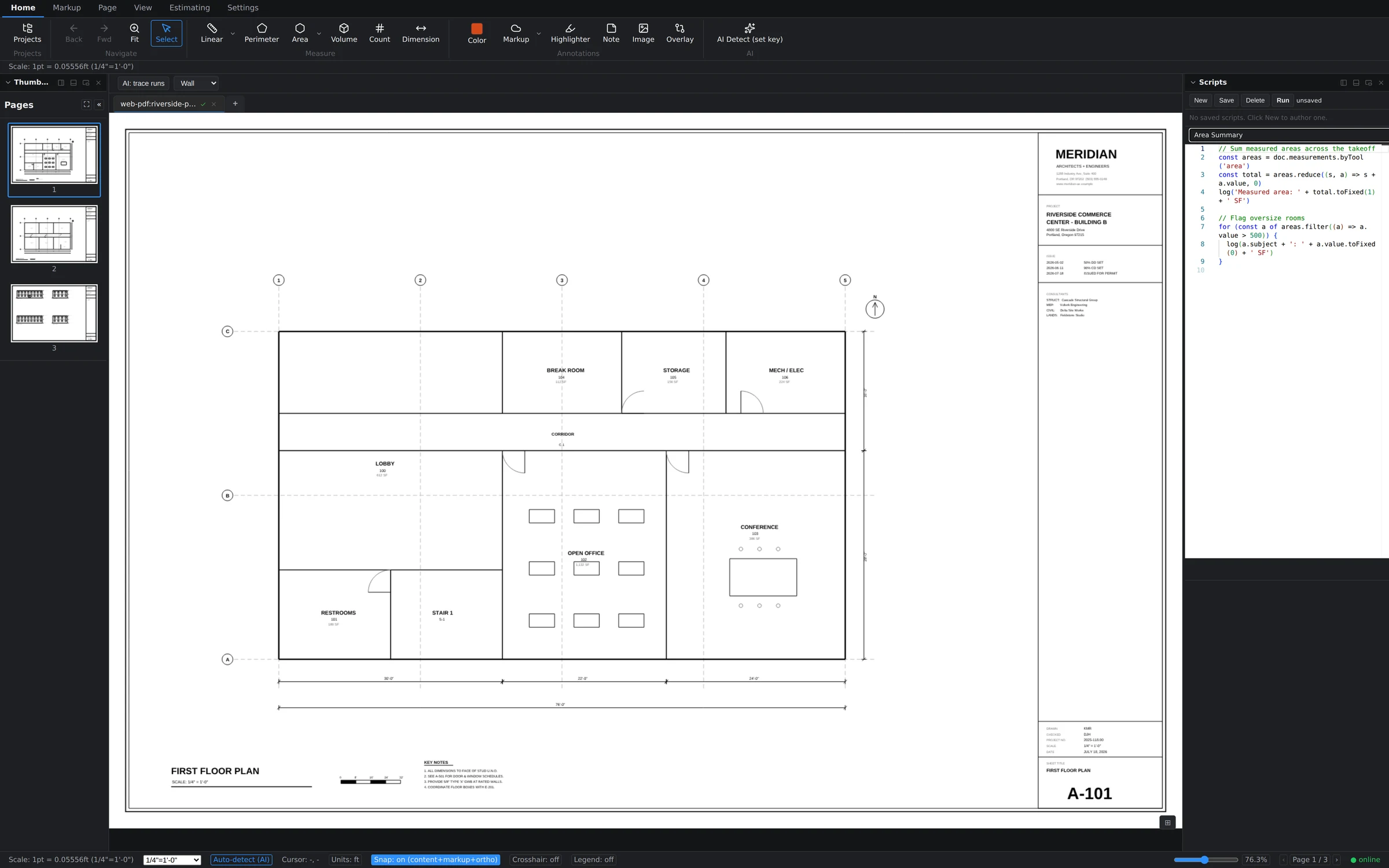
For anything the built-in operations don't cover, the Scripts panel gives you a code editor with autocomplete and a document API — for example, doc.measurements.byTool('area') returns every area takeoff so a nine-line script can total square footage or flag oversize rooms. Save a script once, then run it on demand from the panel or queue it as the Run Script batch operation like any other job.
A person answers support tickets, usually the same working day. Send it to support, or read what to include so it gets fixed first time.