
Opening plans from cloud drives
If your plans already live in Google Drive, Dropbox, OneDrive, or SharePoint, link them — don't download-and-reupload them.
Most GCs distribute plans through a shared drive folder, and most estimators end up with a Downloads folder full of Building-B-FINAL-v3(2).pdf. Cloud drive links skip that. You connect your drive account once, browse it from inside Groundwork Takeoff, and open the plan straight from the source — so the document your takeoff is attached to is the same document everyone else on the job is looking at.
Connecting an account
- Open the Connections panel (View tab → panel toggles).
- Choose your provider — Google Drive, Dropbox, OneDrive, or SharePoint — and sign in when the provider's own consent screen appears. Groundwork never sees your password; you can revoke access from the provider at any time.
- For SharePoint, you'll also pick which site to browse.
Connections are personal: each teammate links their own account, so drive permissions your IT team set up are respected automatically.
Browsing and opening
The Drive panel lists your connected drives with folders, search, and thumbnails. Click a PDF and it opens like any other document — same tools, same takeoff tree, same panels.
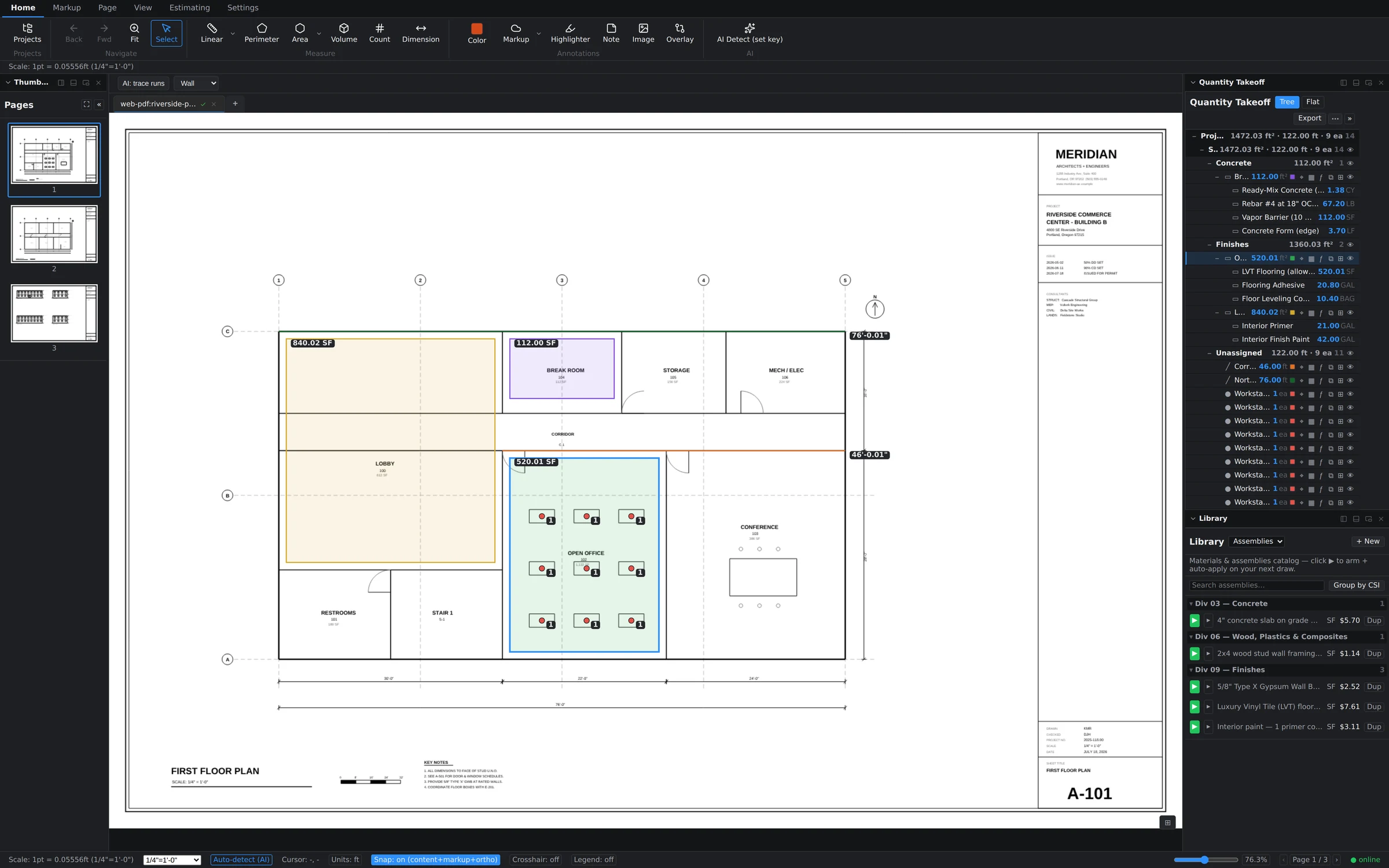
One honest limit in the current version: cloud drive links are read-only. Your measurements and markups are stored in your Groundwork project, not written back into the PDF on the drive. The source file is never modified, which also means you can safely link plans from folders where you only have view access.
When the source file changes upstream
Architects replace files in place — same name, new contents. Because a linked document is identified by which file it is, not by its exact contents, your takeoff follows the document through those changes:
- Groundwork checks the linked file when you come back to its tab (and periodically while you work). If the drive copy has changed, a reload banner appears — nothing reloads behind your back mid-measurement.
- Click reload and the new version opens with all of your markups and measurements intact, sitting on the updated sheets.
- If the revision moved or removed geometry under some of your work, nothing is silently deleted — anything that no longer lines up stays visible for you to review and re-measure.
A person answers support tickets, usually the same working day. Send it to support, or read what to include so it gets fixed first time.