
Built for how a GC actually runs a job.
Not a suite of loosely-connected tools with the same login page. One data model, one project record, from the first takeoff to the final punch item.
Price the job once, not three times in three tools.
Quantity takeoff, assemblies and cost data feed straight into an Estimate that stays connected to the bid, not a snapshot that goes stale when scope changes. Arm a condition, draw on the sheet, and the Estimate prices itself; a library assembly counts its own parts, such as the studs in a wall, from your measurement. Where you only need a number early, the ROM Builder gives an order-of-magnitude figure from building type, area, quality and region.
- Takeoff conditions with assemblies from a CSI-organized library; jobs keep the assembly version they used until you upgrade them
- One AI Estimate Builder: describe the scope, upload files or photos, choose a model, select project documents or read the job's own folder
- Cost database with regional pricing packs, or your own cost history and company costbook
- Estimate rollup, post-calculation and a real Basis of Estimate document
- Good / Better / Best proposals the owner decides on from a phone, signed only when the price on their screen is the current price
Need a lighter, standalone takeoff tool instead of the full ERP? Groundwork Takeoff is a separate native app, sold on its own.
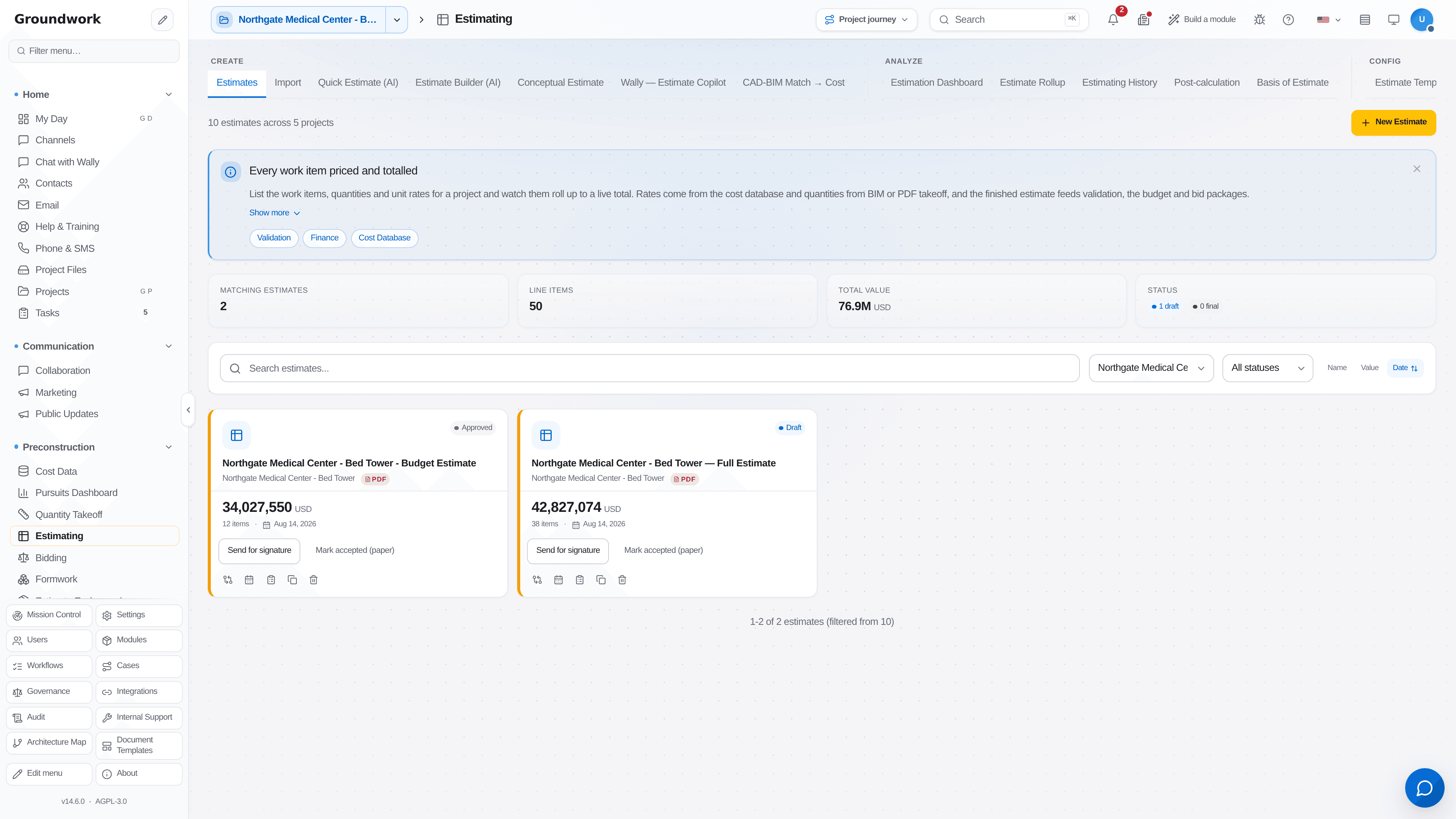
An AI first pass that checks the bid before it prices a line.
The Builder does not just match rates. It reads the bid requirements register and owner addenda, asks you to decide every trade (bid it or not bid it) before any rate is matched, sizes the job's own cost from the schedule, and takes contingency from the project's risk register instead of a typed percentage. Afterwards a Check the estimate card reports whether the scope is complete, not just priced.
- Every line says where its rate came from: cost database, your own history, or a leveled subcontractor quote
- Sub quotes are compared blind on a common scope before they become prices
- Your crews' own field production rates can feed the labor hours
- An owner addendum flags the Builder lines it changes
- AI proposes, a person disposes: nothing the AI drafts counts until it is reviewed
CPM scheduling built for the person tracking float, not a planner with a PhD.
Full CPM Gantt with critical path, DCMA-14 quality checks and 4D BIM linking, plus Last Planner and Takt/LOB views when you need them. Generate a first draft schedule straight from the estimate, then level resources, choosing the method, priority and splitting, and see the schedule against its baseline.
- Critical path analysis and risk analysis, not just a bar chart
- Generate a schedule from your estimate's line items in one click
- Resource leveling you can choose how to run, with schedule-against-baseline, cost curve and billing waterfall on the project overview
- 4D: link activities to BIM elements to see the job build itself
Ball-in-court tracking that actually tells you who's holding things up.
Every RFI and submittal has a real approval workflow, a due date, and a status that doesn't require opening the document to understand. No more digging through email threads to figure out who owes a response.
- Automatic deadline alerts before something goes overdue
- Full audit trail from draft to closed
- Linked directly to the drawings and spec sections they reference
Run your books of record in Groundwork, or connect the ones you have.
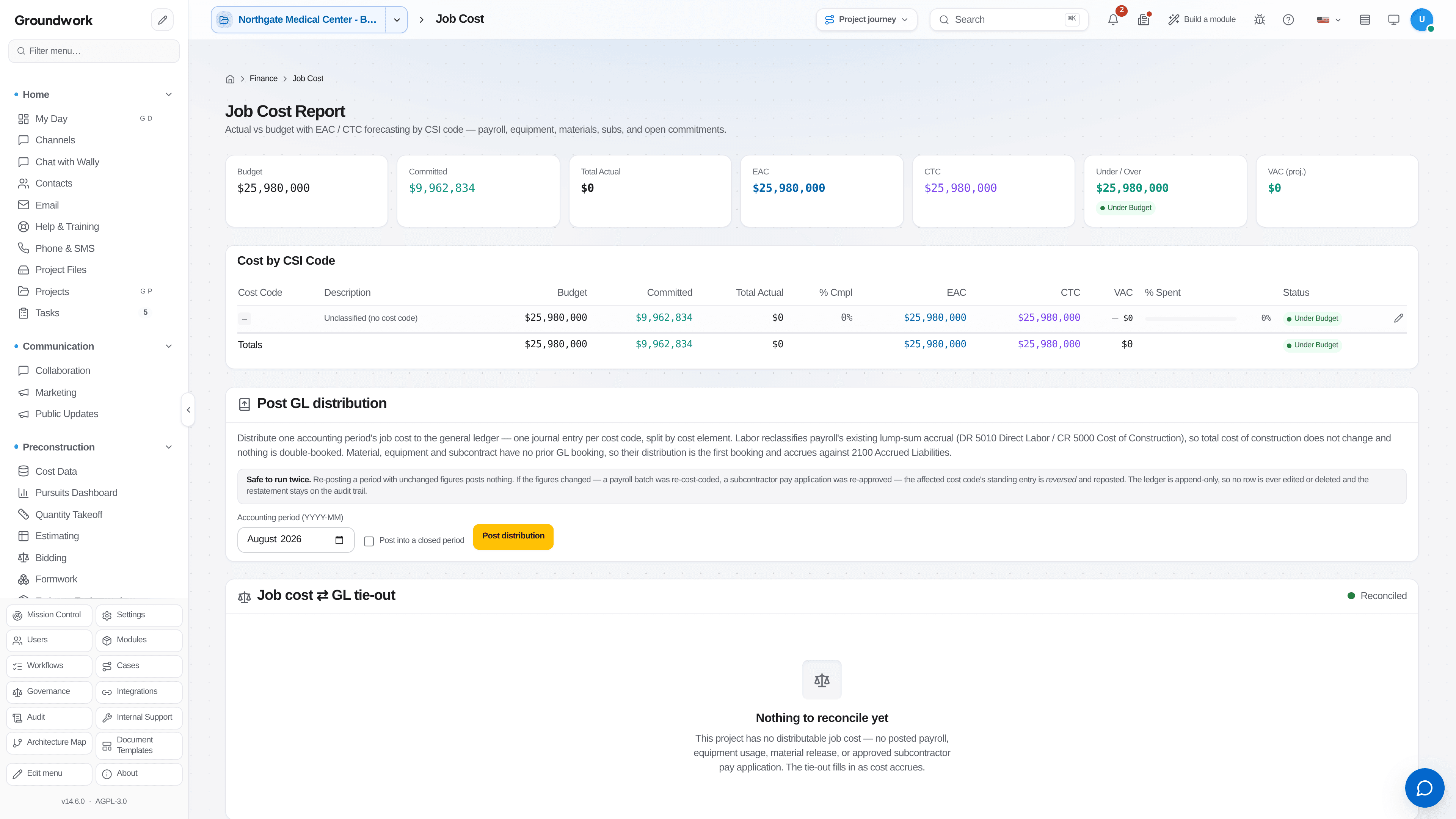
Each workspace picks an accounting mode. Standalone, Groundwork is the record for pay applications and invoices, vendor bills, payments received and made, and job cost on an append-only, hash-chained ledger. Connected to QuickBooks Online or ERPNext, that system is the general ledger and Groundwork keeps every operational record; the workspace owner can switch on two-way sync, where each side's records meet as one and any conflict goes to a person. Or add the General Ledger add-on for a native general ledger and accounting suite with management views for your accountant; statutory statements and tax filings still go through your accountant.
- Actual vs. budget by CSI code with EAC and CTC forecasting
- Journal entries wait for a second person's approval before they reach the ledger
- Job-cost-to-GL reconciliation that shows where the sub-ledger and the general ledger disagree, down to the dollar
- Payment deadlines tracked, and a voided bill or pay application closes its clock
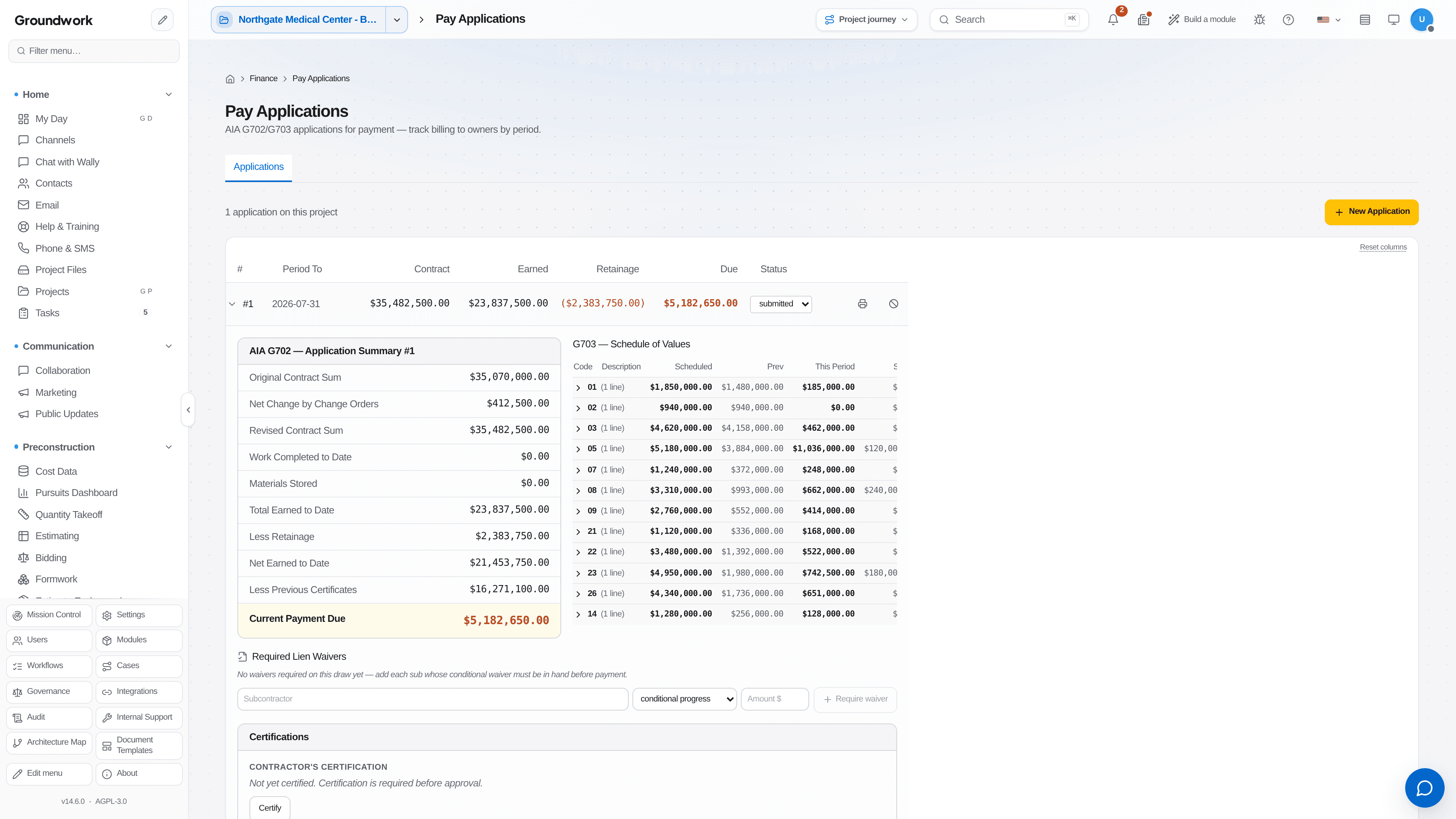
From draft change order to an executed G702/G703, with the trail intact.
Change orders flow through a real approval workflow into your pay applications, with retainage handled per line and a document that looks like what your owner's rep already expects to see. The pay application is the owner billing document: approving it raises that period's invoice, and a job's value is its contract plus approved Change Orders on every screen.
- AIA-style G702/G703 pay application generation; approving it creates the invoice
- Per-line retainage tracking
- Change orders linked to the schedule and budget they affect
- Subcontractor pay applications approved, adjusted or rejected line by line, behind a compliance check that needs a written reason to pay anyway
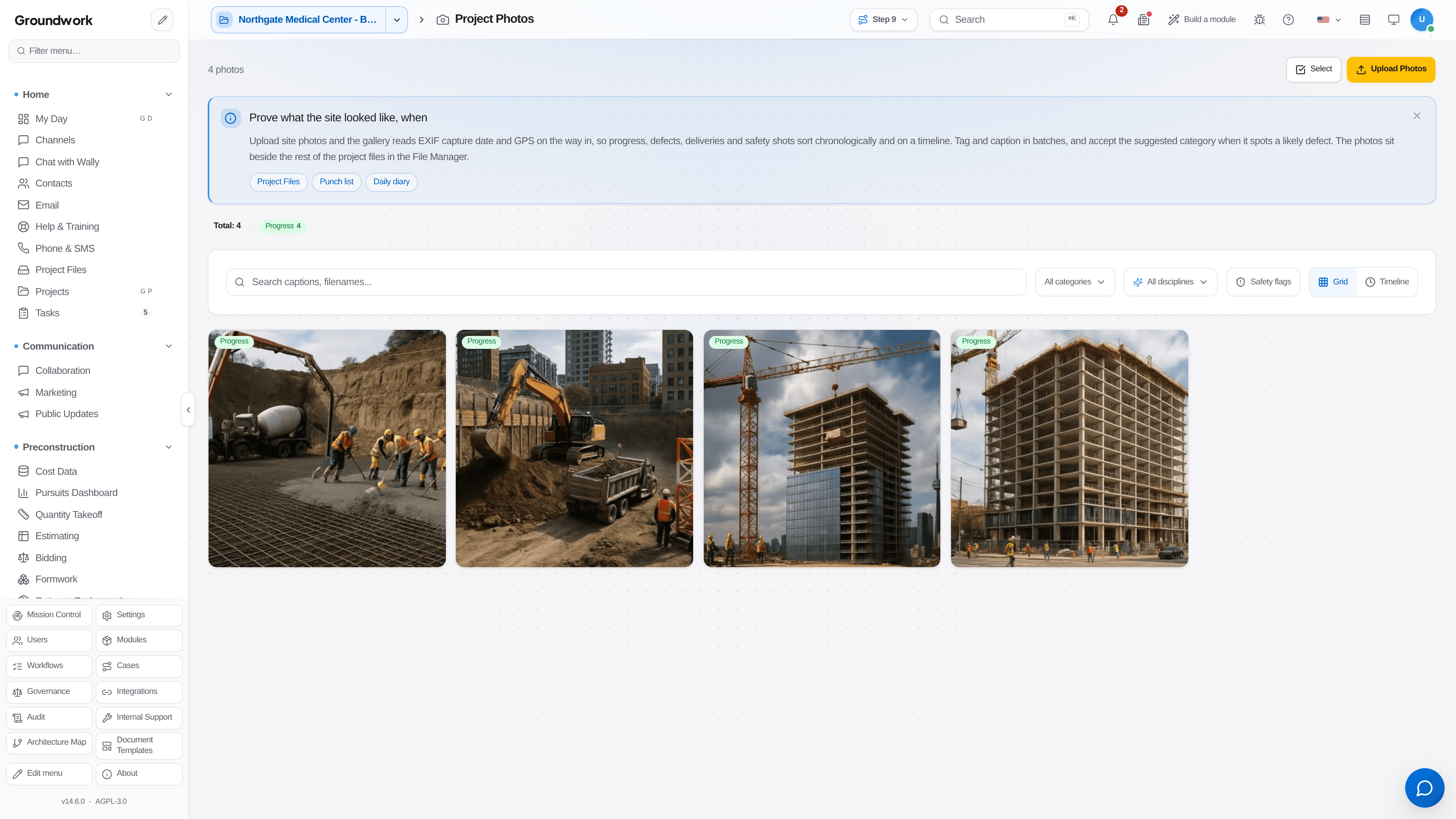
Daily reports, punch lists and safety, from a phone on the jobsite.
Field crews log daily reports, tag photos with GPS/EXIF-sorted timelines, and close out punch items with before/after photos, all from a mobile-optimized surface that doesn't require a laptop. Field staff sign in from a phone link your office issues (a one-time link plus a PIN, no password to remember); you send it from your own phone or messaging app, because Groundwork does not text it for you. A foreman can open a Daily Production Report the same way.
- Three field roles (Field worker, Site foreman, Site inspector) that see jobsite records and nothing under money or people data
- Photo galleries that sort chronologically by capture date and GPS
- Punch list workflow with drawing pins, assignment, and verify/void states
- Daily diary, time clock and safety management in the same place as everything else
Edit the file where it lives, and print records you can hand to an owner.
Groundwork holds every document's file, its versions and its audit history. Word, Excel and PowerPoint files open for editing in the browser on our own infrastructure, and every save is a new version. Google Drive and Microsoft 365 are optional per-workspace connectors; if a file changed on both sides an admin resolves it instead of one side overwriting the other. Issued documents carry your company line and license, the document number and revision, a content fingerprint on every page, and a verify link with a QR code that anyone can open to check a copy against our record (it matches the content fingerprint, not the file's bytes, so a scan of a printout will not match).
- Built-in editing for Office files; every save kept as a version
- Optional Google Drive and Microsoft 365 connections, set up only in Settings
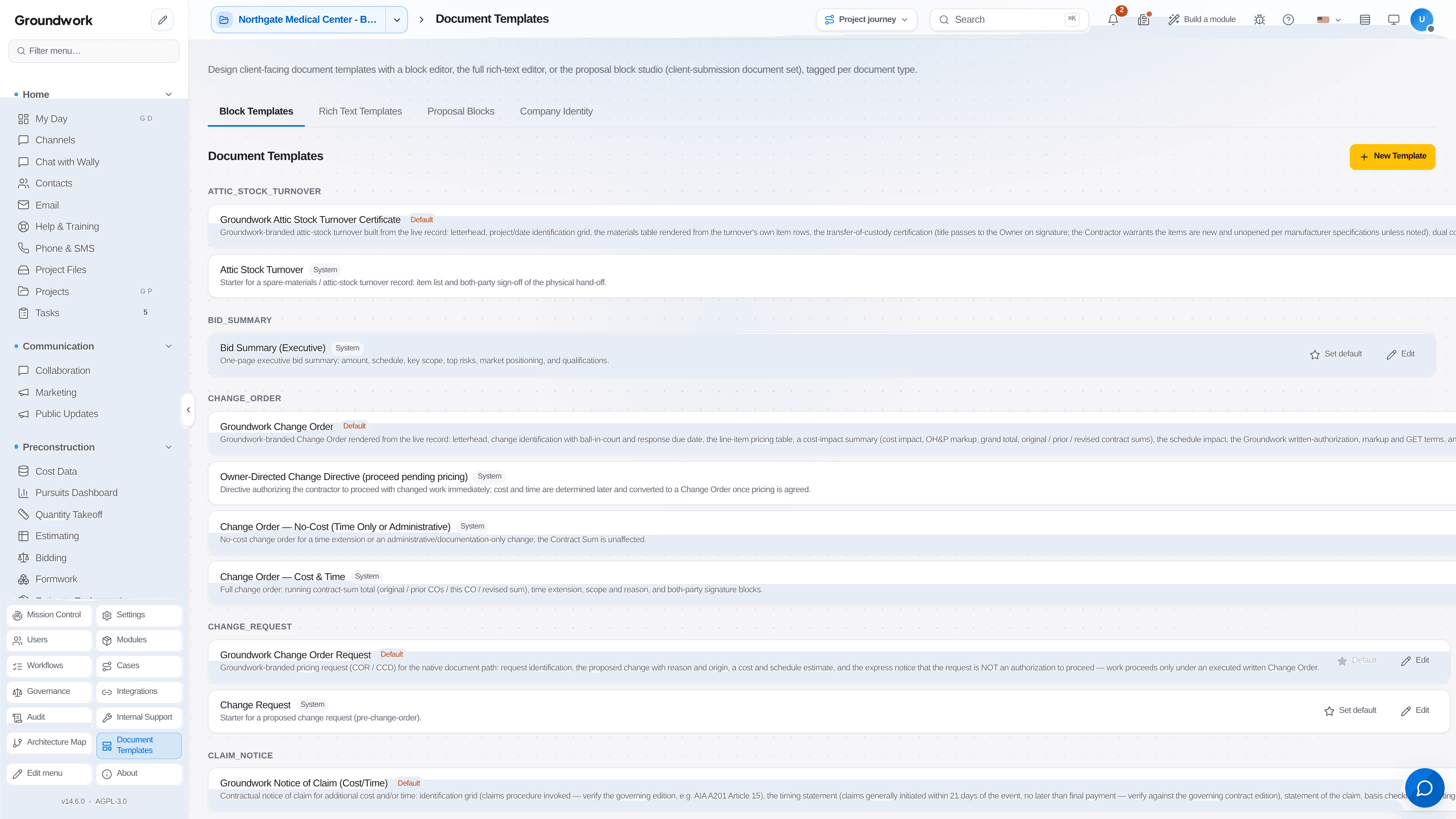
- A starter set of client-ready templates, with a company default per document type, plus state-specific contract, lien and notice sets for Hawaii and California chosen at sign-up
- Every printed PDF carries bookmarks for its sections; a submittal's Download Package (PDF) assembles the cover, attachments and each item into one bookmarked file; RFI and submittal packages can print a cover page and contents your owner switches on
- Signed proposals stored as the record and never changed afterwards
One view across every job, and every company kept to itself.
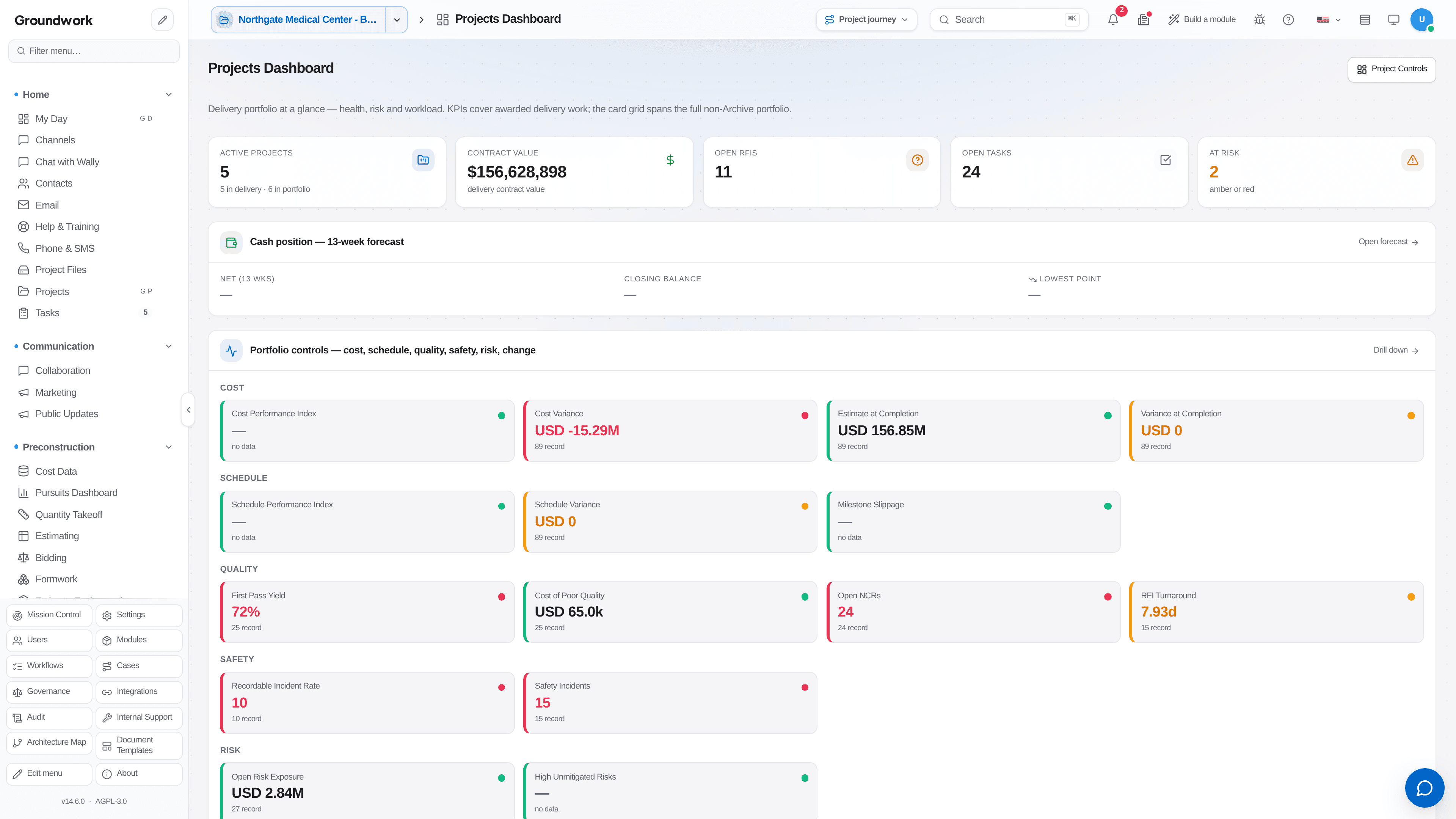
Cost performance, schedule performance, safety TRIR and RFI turnaround roll up across your whole portfolio on one Projects page, so you can see which jobs need attention before a client calls. Groundwork is multi-tenant: each company is its own workspace, with its own users, records and branding, and records are separated by company inside the database by row-level security on every business record, so a query that forgets to filter by company still cannot read another company's rows.
- Portfolio-level KPIs: CPI, SPI, safety TRIR, average RFI close time
- Per-project health cards with budget, completion % and open RFIs
- Your company's colors and logo on the sidebar, with five skins to choose from
- Analytics and reporting that feed real dashboards, not static exports
See it running a job that looks like yours.
No sales deck first. We load a project of your type and size and walk your team through it live, in the real product.