
A full estimating bench. In one window.
6 measuring tools, 19 dockable panels, one price. Here is everything Groundwork Takeoff does, organized the way the app is — and where a thing is not what it sounds like, this page says so.
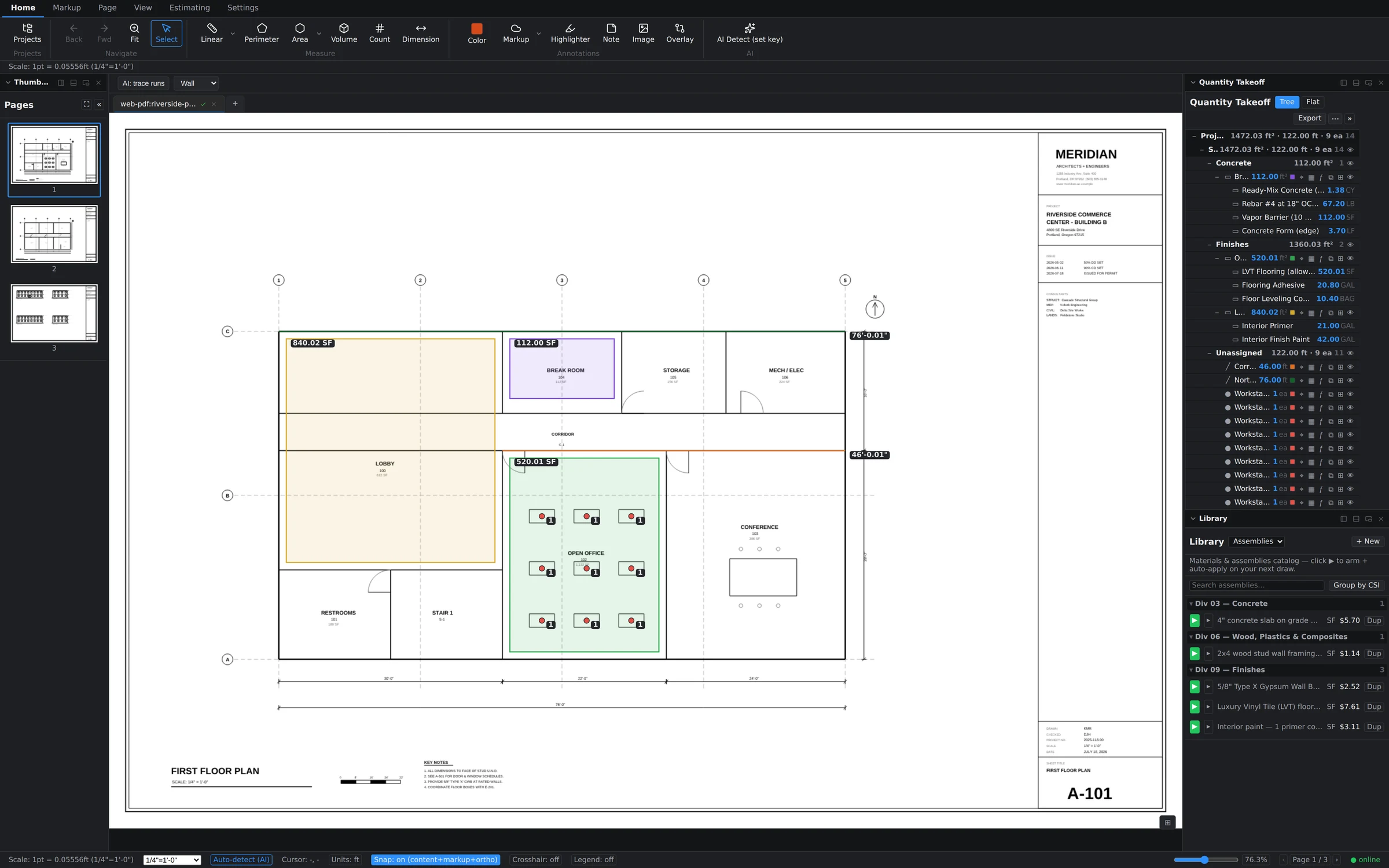
6 ways to measure. Zero ways to guess.
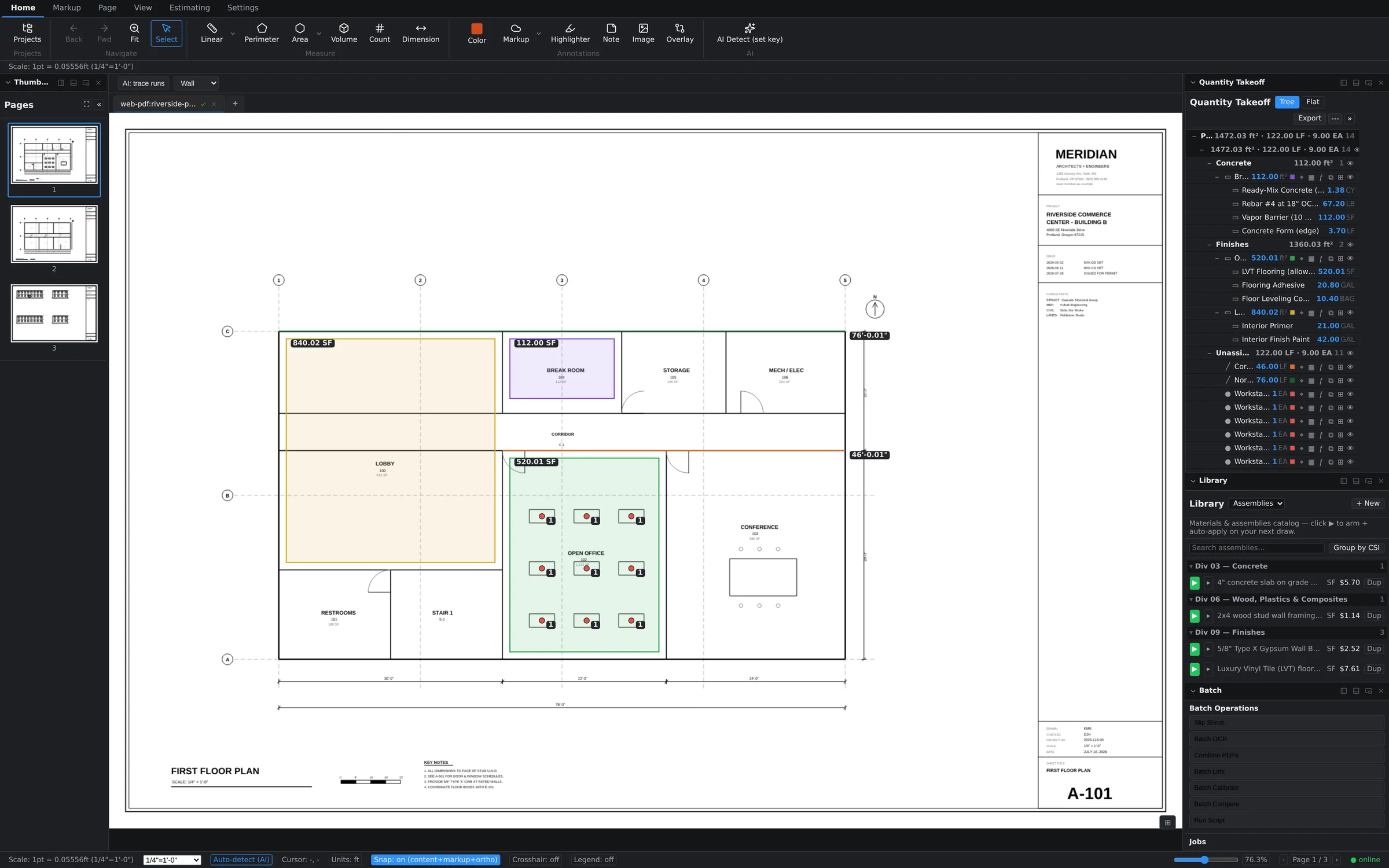
Linear for runs and edges. Perimeter for closed boundaries. Area for surfaces. Volume for depth-loaded quantities. Count for everything that repeats. Each one is a single keystroke, and each commits a real quantity you can trace back to the ink it came from.
- Smart scale — auto-detects the sheet scale; override per page or per viewport at any time
- Dimension chains — continuous strings of dimensions that update as you adjust them
- Formula evaluator — any quantity field accepts math: (24*3)+8, unit-aware
- Snap + crosshair — vertex-accurate placement, status-bar toggles always in reach
- Per-page scale calibration, with an amber badge before you measure on an uncalibrated sheet
| Tool | Commits | What it does |
|---|---|---|
| Linear | LF | One polyline, one running total |
| Segment | LF | Each leg commits as its own row |
| Perimeter | LF | Closes the loop for you |
| Area | SF | Rectangle or polygon, with cutouts |
| Volume | CY | Area plus a depth |
| Count | EA | Place, or let AI find the repeats |
6 buttons, and Area draws either a rectangle or a polygon. Dimension is not on this list. It measures and it prints a callout your reviewer can read, but it is a markup annotation and it commits no takeoff quantity — so it lives in the markup section below, where it belongs. The app stores 5 quantity types: linear, perimeter, area, volume, count.
The estimate builds while you draw.
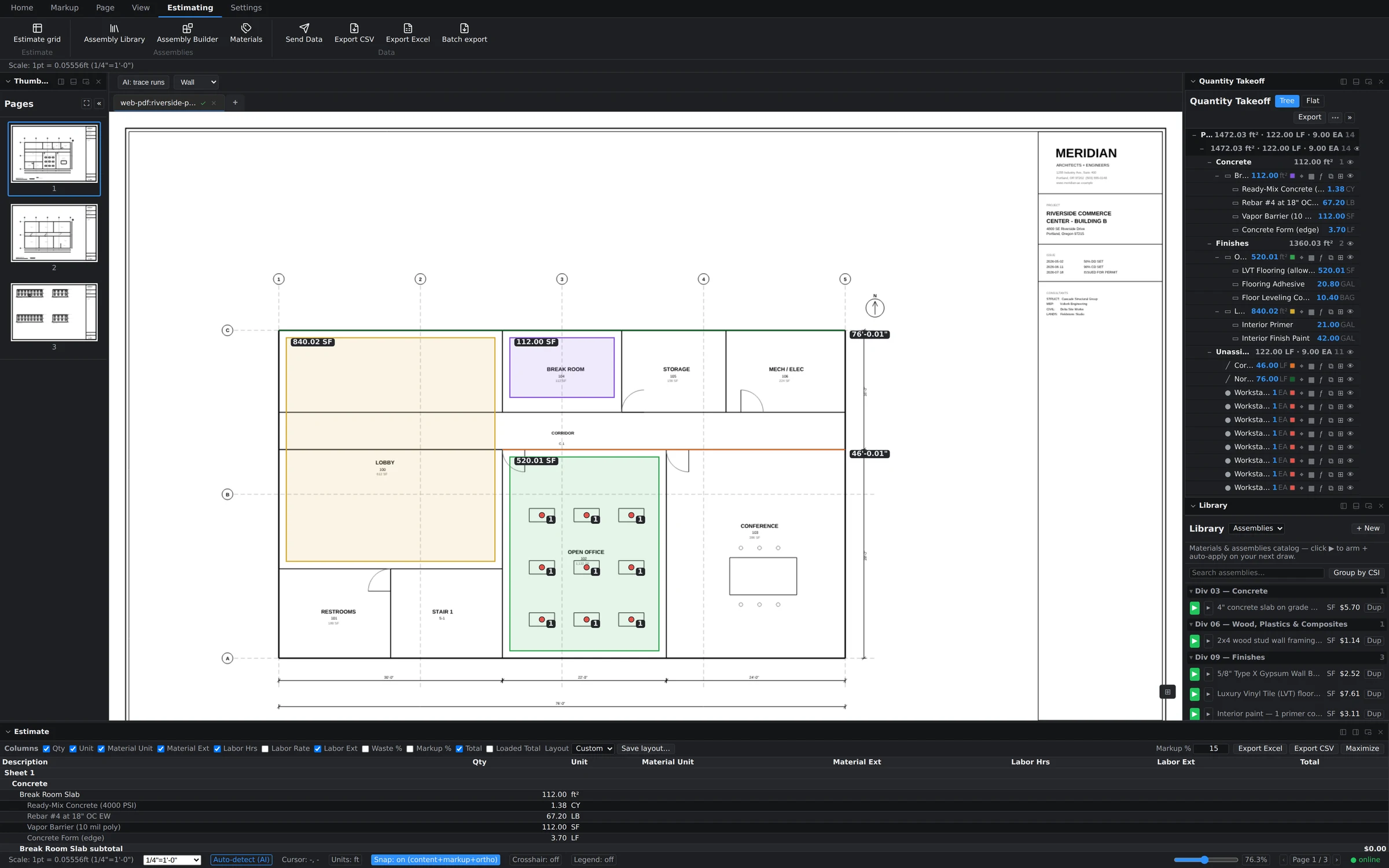
Most takeoff tools stop at quantities and hand you a spreadsheet problem. Groundwork carries the takeoff all the way to dollars — in the same window, on the same sheet, against your own cost structure rather than a vendor's national average.
- Assembly library and builder — bundle material, labor, equipment and waste into one reusable assembly
- Arm and auto-apply — arm an assembly, draw the measurement, the cost lines attach themselves
- Folder assemblies — apply an assembly to a whole folder of takeoffs at once when a scope changes
- Live estimate grid — quantities, unit costs and totals move the moment a measurement does
- Send data / export — Excel, CSV, and batch export across the whole set
Assisted, not automated-and-hope.
Our AI proposes; you dispose. Every AI suggestion lands as a reviewable object you accept or reject — because a bid with your name on it should never contain a measurement nobody looked at.
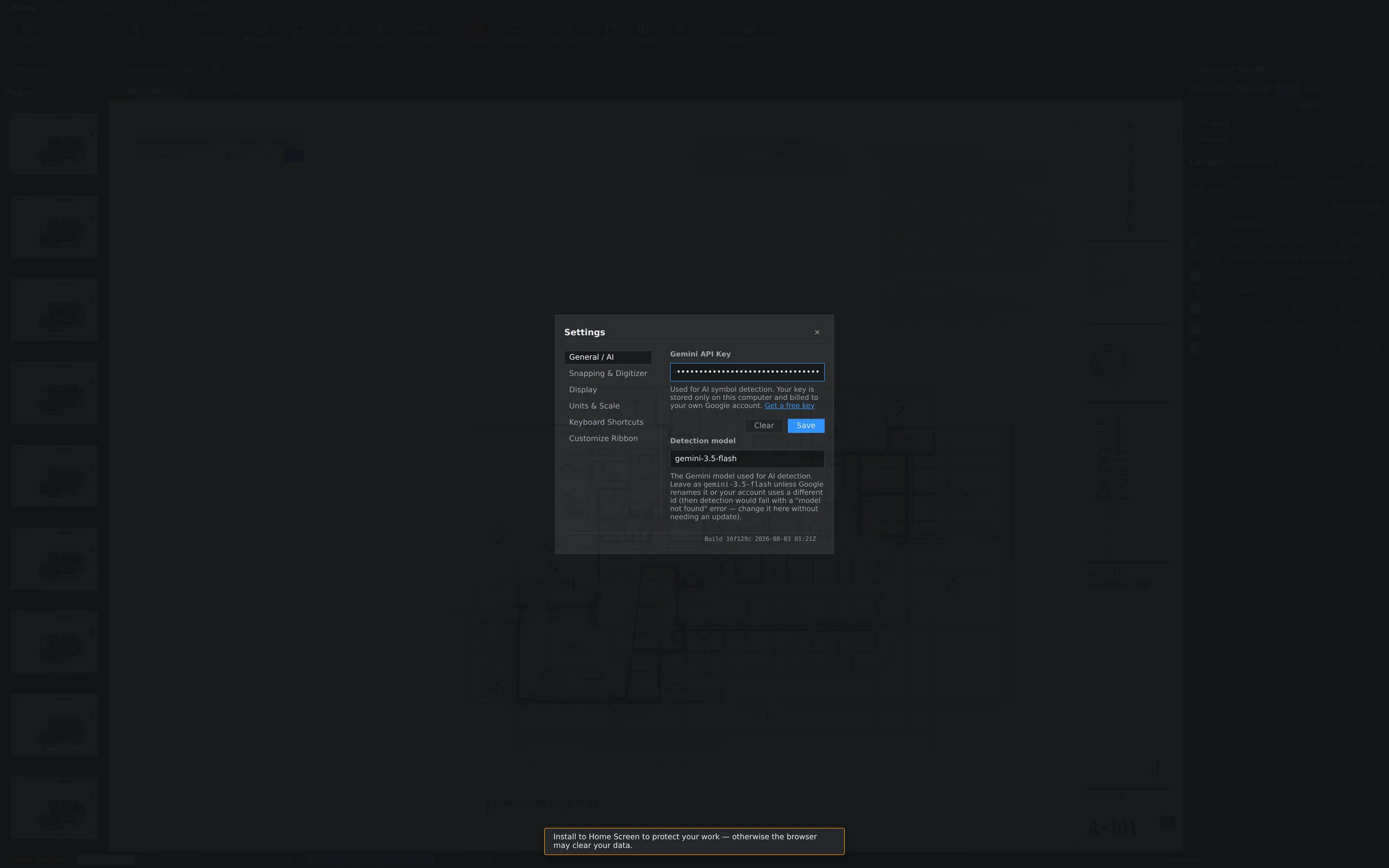
- AI Detect — finds repeated symbols and suggests counts across a region and a trade
- AI measure suggest — proposes full measurements you confirm with a click
- AI redact — flags sensitive content for one-pass redaction before a set leaves the office
- OCR — searchable text on scanned sheets, which is also what powers search and auto-align
- AI sheet auto-classify and natural-language search across the set
Included on every seat at every price, including the trial. The tier gating at other vendors is laid out with sources on the comparison pages.
Speak fluent GC.
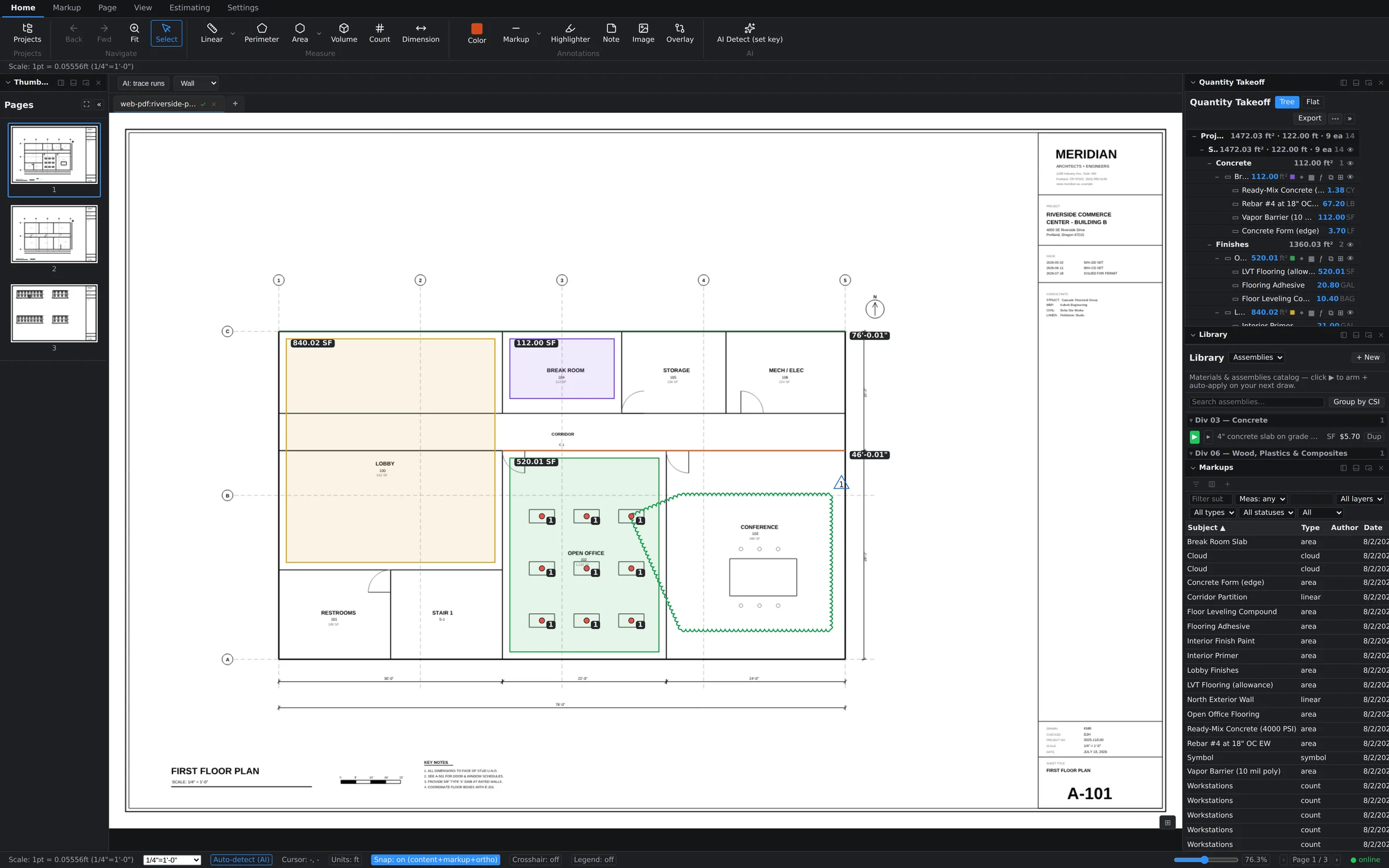
Revision deltas, clouds, stamps, signatures — the whole review vocabulary, plus a Tool Chest that turns any markup you make into a reusable tool for the whole team.
- 16 markup tools: text, highlighter, notes, images, stamps, signatures, redaction
- Dimension callouts — a measured annotation for the reviewer, deliberately separate from takeoff quantities
- Revision Delta and Cloud+ symbols, a revision log, and a printable color legend
- Tool Chest with Recents, promoted favourites and 1–9 hotkeys
- Markups list as a real data grid: filter any column, save views, jump from a row to the ink
Addendum 3 just dropped. Stay calm.
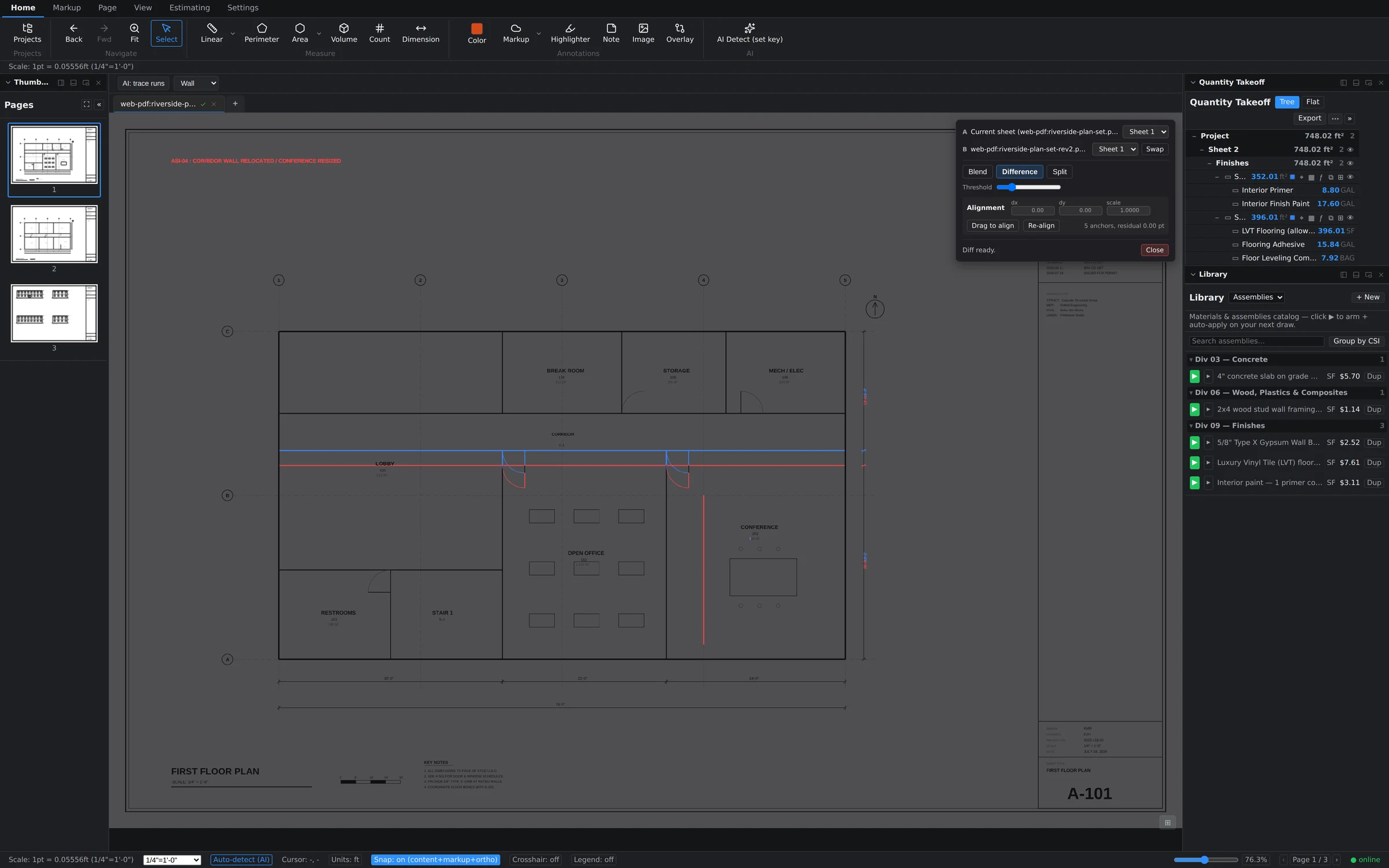
Plan Compare overlays revision B on the live canvas — not a flattened throwaway PDF. Removed ink turns red, added ink turns blue, unchanged ink goes dark. Re-measure the deltas immediately, on the same screen.
- Diff mode — dual-tint difference: red is removed, blue is added
- Blend mode — weighted overlay with an opacity slider
- Auto-align on the text anchors, with manual dx/dy/scale and drag-to-align for scanned sheets
- Revision plan sets — slip-sheet a new issue and carry the takeoffs across to it
Serious PDF plumbing.
The set is a document as well as a drawing, and the document work has to happen somewhere. It happens here, so specs, addenda and takeoffs stay in one place.
- Page operations — insert, delete, rotate, reorder, crop, extract, and edit text on the sheet
- Organize Pages — a full-screen thumbnail grid for whole-set work
- Compression and PDF/A — shrink a 400 MB scan set to something emailable; export archival PDF/A for closeout
- Office conversion — Word, Excel and PowerPoint convert to PDF inside the app and join the set
- Batch suite — export, calibration, slip-sheeting, markup transfer and page comparison across a whole set, with a cancellable queue
- Apply Redactions — mark anywhere, then permanently remove the marked content into a new -redacted copy, original untouched
Offline is not an outage.
Storage is local first and syncs to the cloud, so the amber indicator tells you that you are offline and your work does not care. A signed-in seat carries a 14-day offline grace period.
- Cloud Library — open a set at the office, pick it up on the laptop or iPad, matched by document content rather than filename
- Live multi-sheet collaboration, each sheet syncing independently so a 200-page set stays responsive
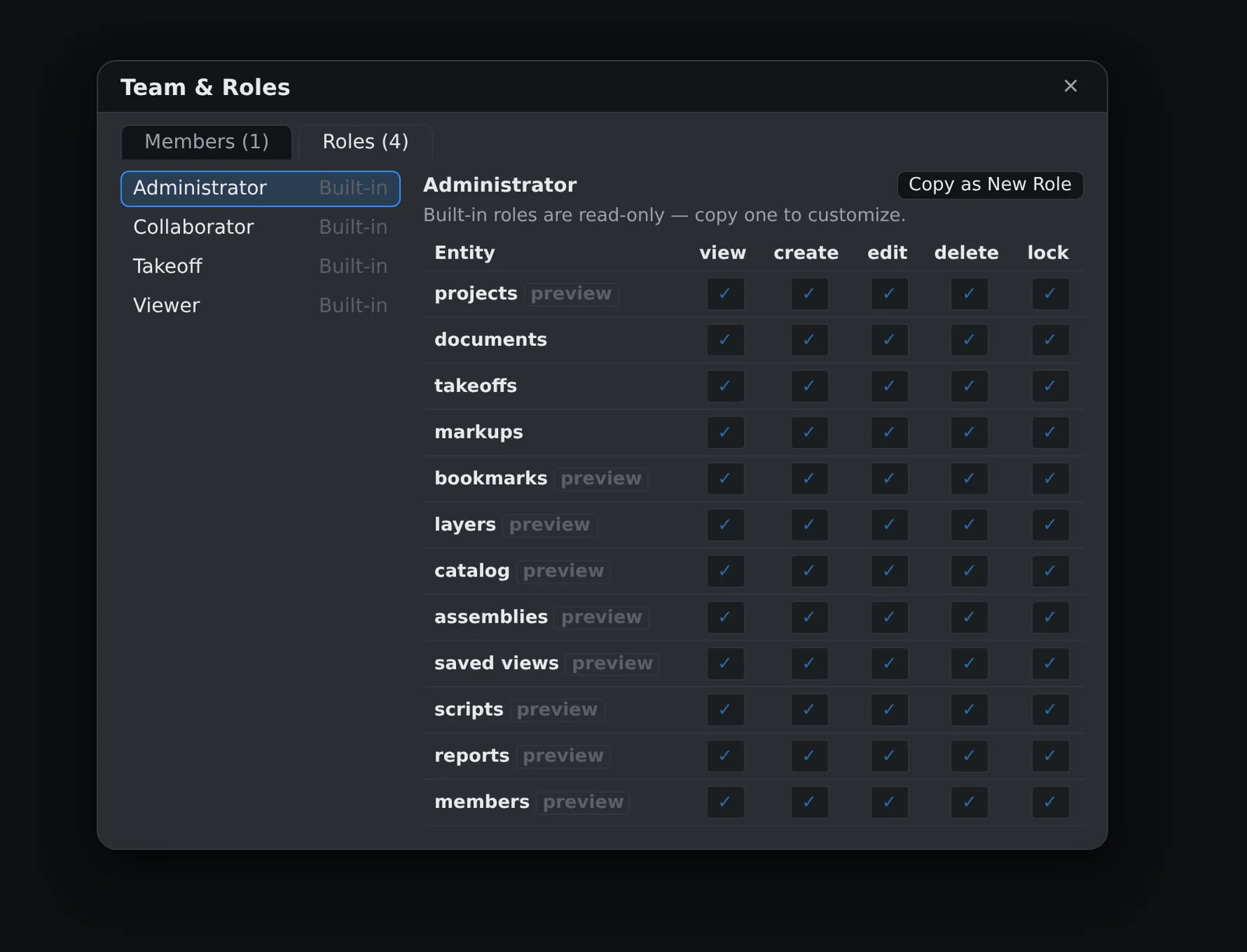
- Team and roles matrix — seats assigned per person, permissions per role
- Two device activations per seat, with the stalest reclaimed automatically
19 panels. Your layout.
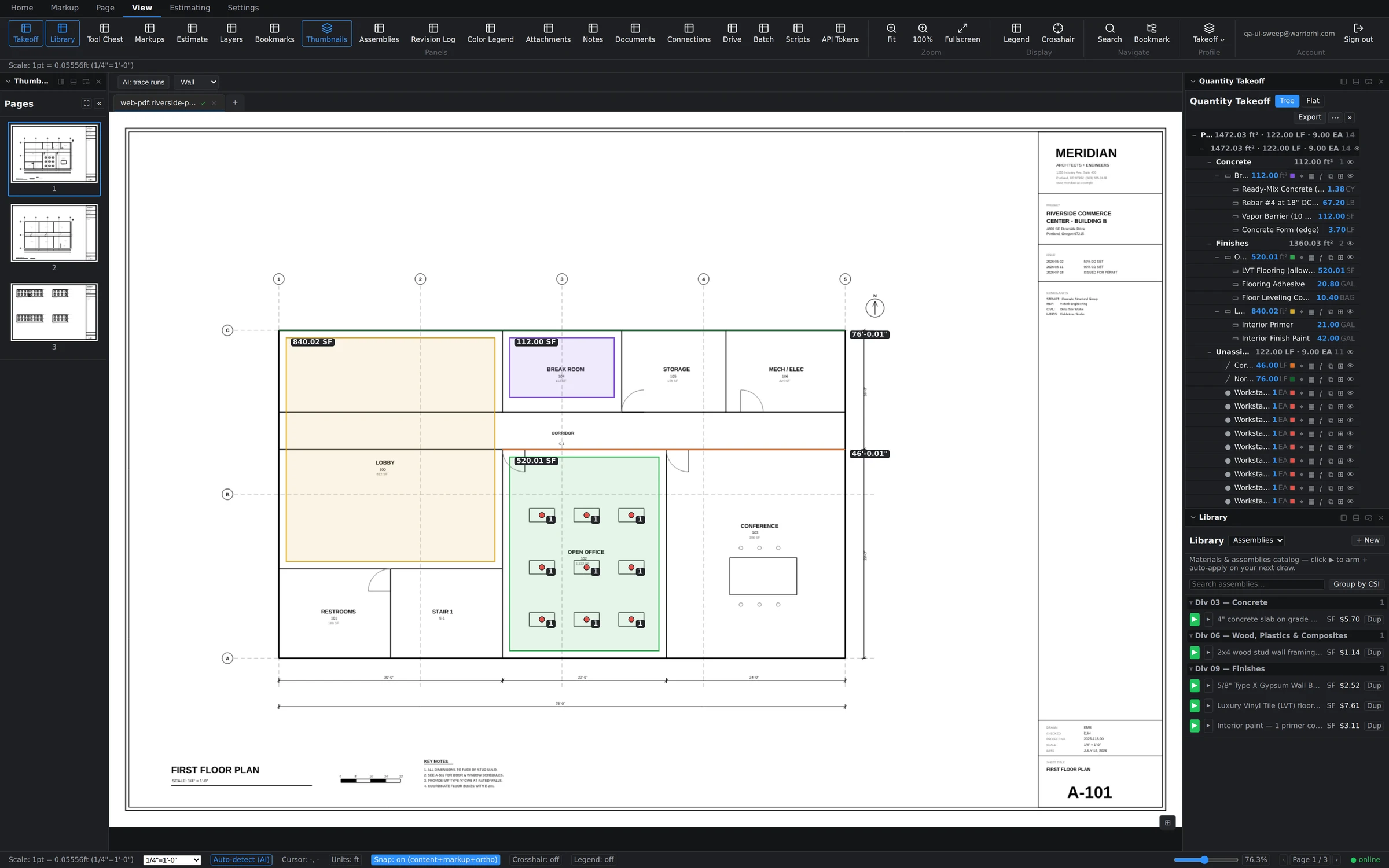
Every panel docks left, right or bottom — or floats free on a second monitor. The app remembers your arrangement, and the keyboard is yours to rebind.
- Takeoff, Estimate, Library, Assemblies, Tool Chest, Markups, Layers, Thumbnails, Bookmarks, Revision Log, Color Legend, Attachments, Notes — and more
- Customisable ribbon — rearrange the toolbar to match how you actually work
- Rebindable keyboard shortcuts with conflict warnings and a one-click reset
- Zoom cluster and a live cursor readout in real calibrated feet
- Light and dark themes, precision and fraction display, multi-document tabs
The panel count is generated from ALL_PANEL_IDS in the app's own source rather than typed, so the page cannot advertise a layout the product does not ship.
It talks to the rest of your desk.
A takeoff tool that cannot reach your drive, your CAD model or your assistant is a tool you retype things into. These are the doors out, and each one is off by default until you open it.
- Works with Claude over MCP — projects, takeoff summaries and material lists, or live writes into the open document. Token-gated, off by default, every write is one undo step
- Cloud drive live links — Google Drive, Dropbox, OneDrive and SharePoint sets stay linked to their source and offer to reload when the file changes upstream
- CAD connections — secure API tokens let CAD tools publish sheets straight into your library, including a Revit add-in for pushing sheet sets from the model
- Scripting panel — automate repetitive document work across a set
- Export — XLSX, CSV and marked-up PDF, which your GC opens with no license, no account and nothing to install
Trade-specific takeoffs, one workflow.
The same measuring tools, armed with your trade's assemblies. The difference between trades is the cost structure, not the software — which is why the library is yours to build rather than ours to sell you.
- General contractor
Every scope. One set of numbers.
- Run every measuring tool across the full set — areas, runs, counts, volumes — grouped by CSI division in the Takeoff panel
- Plan-compare overlay catches addendum scope creep before it eats the margin
- Batch export the whole bid package to Excel in one pass
- Drywall
Walls to sheets to dollars.
- Linear wall runs feed stud, track and sheet assemblies with waste factors built in
- Type-X, ceilings and finish levels modelled as separate assemblies in your library
- The live estimate grid prices material and labor as you trace
- Concrete
Volume is a first-class citizen.
- Volume takes slab and footing quantities straight off the plan, depth-aware
- Formula evaluator handles pours: (24*3)+8 in any quantity field
- Slab-on-grade assemblies carry mix, reinforcement and finishing labor
- Electrical
Count everything that repeats.
- AI Detect proposes device counts across the sheet — you approve each group
- Linear for home runs and conduit paths, snapped to the drawing
- Count markers stay linked to their line items, so a recount updates the estimate
- Painting
Surfaces at wall speed.
- Area with per-room polygons; perimeter times height for wall surface
- Primer and finish coats modelled as assembly lines with coverage rates
- Color-coded takeoffs keep interior and exterior scopes readable on one sheet
- Flooring
Rooms to rolls in minutes.
- Room-by-room area takeoffs with hole subtraction for stairs and openings
- LVT, carpet and prep assemblies with waste percentages per product
- Perimeter doubles for base and transitions
- EIFS & exteriors
Elevation math, handled.
- Area takeoffs on elevation sheets with opening deductions
- System assemblies — base coat, mesh, finish — priced per SF as you draw
- Plan-compare overlay flags elevation revisions between bid sets
See it on your own plans.
Upload a real plan set and measure something in the first five minutes. That is the only test that settles it.