
Who can do what — exactly
Four built-in roles cover most teams. When they don't, copy one and edit the permission matrix cell by cell.
Open View → Team & Roles to manage your organization's members and what each of them can do.
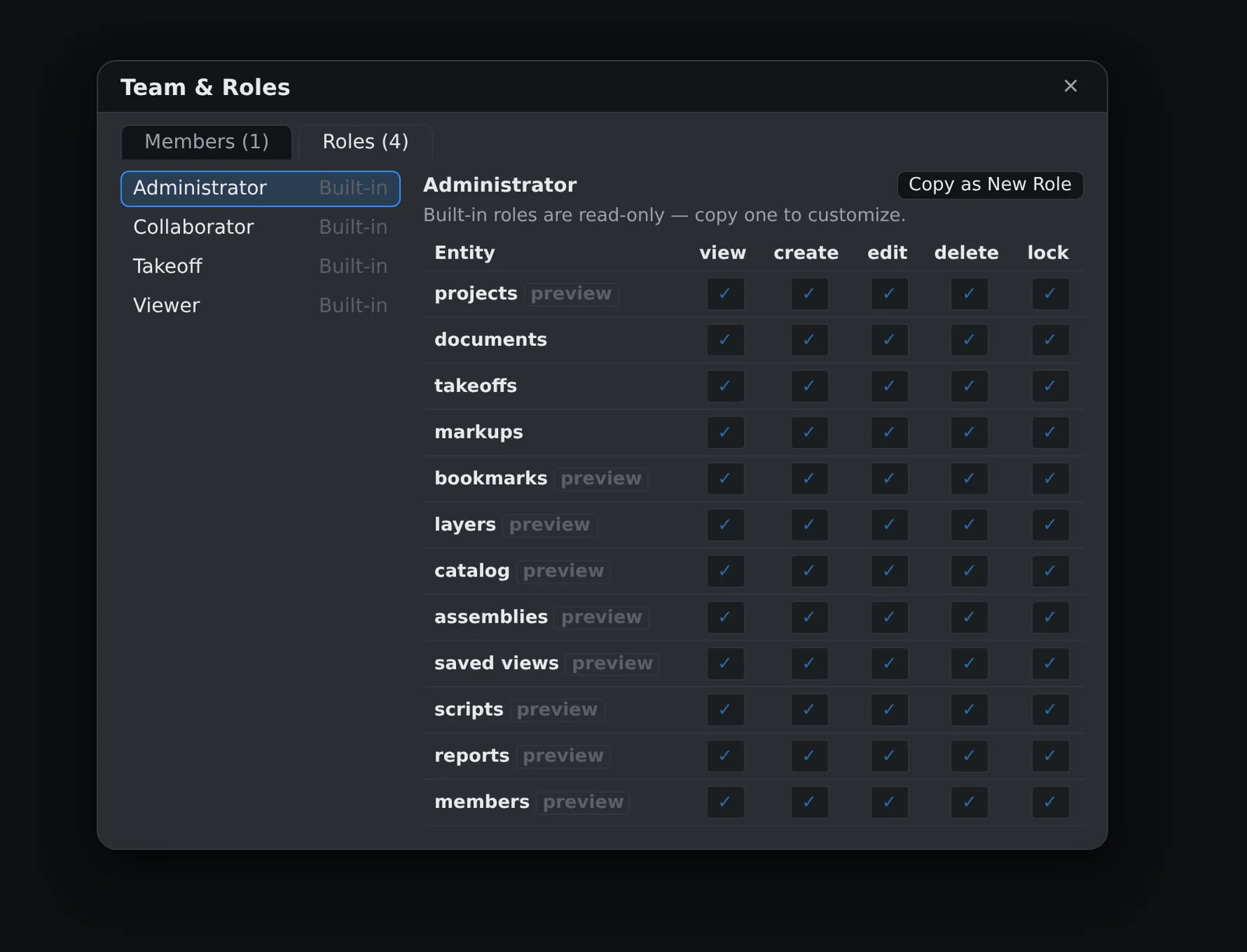
The built-in roles
- Administrator — everything, including managing members and roles.
- Takeoff — full estimating: documents, takeoffs, assemblies, catalogs, saved views. No member management.
- Collaborator — field-crew shape: sees everything, adds and edits markups and bookmarks. The app gives Collaborators no quantity or document tools; note that markup editing shares the drawing layer with takeoffs, so server-grade isolation of quantities from Collaborators arrives with layer-scoped access.
- Viewer — read-only, enforced by the server on documents, takeoff data, comments, and file storage. A Viewer can look at anything and change nothing.
Custom roles
Select any role and choose Copy as New Role. The copy starts from the original's access level, and every cell of its permission matrix — entities like documents, takeoffs, and markups against verbs like view, create, edit, delete — becomes editable. Click a cell to cycle it: default → allow → deny → default.
Rows marked preview aren't enforced by the server yet — those entities still follow the role's base access level, and the badge disappears as each surface migrates to the matrix. What you see enforced today is enforced for real: documents, takeoff data, and markups.
Assigning roles
The Members tab lists your org with each member's current role. Assign from the dropdown — admins only. A member with no role assigned keeps their legacy access level, and deleting a custom role returns its members to that legacy level (for a restrictive role, that's a privilege increase — the delete confirmation says so).
Role assignment can't demote your organization's only administrator — the last-admin guard refuses the change. (It guards role changes specifically; removing members is a separate administrative act.)
Accounts are provisioned by your administrator; the Team & Roles surface assigns roles to existing members.
A person answers support tickets, usually the same working day. Send it to support, or read what to include so it gets fixed first time.