
Log and route an RFI to a response
Before you begin
Know which drawing sheet and spec section the question comes from. An RFI that only says "the detail doesn't work" costs you a round trip; one that cites sheet A-501 and Section 05 50 00 usually gets answered the first time. Have the design team's reviewer set up as a contact on the project so the RFI has somewhere to route.
Steps
-
From the project, go to Project Management → RFIs, then create a new RFI.
-
Write the question and state the proposed solution you'd accept. Attach a photo or markup if the condition is physical.
-
Link the RFI to the drawing sheet and spec section it references. The link is a real reference, so opening the RFI later opens the sheet it questions.
-
Set the required response date. Groundwork computes the alert schedule from it and warns before the RFI goes overdue rather than after.
-
Assign the ball-in-court party (usually the architect or engineer of record) and submit.
-
When a response comes back, record it against the RFI. Ball-in-court moves back to you, and the RFI status changes to answered.
-
If the answer changes scope or cost, create the change order from the RFI so the two records stay linked.
What happens next
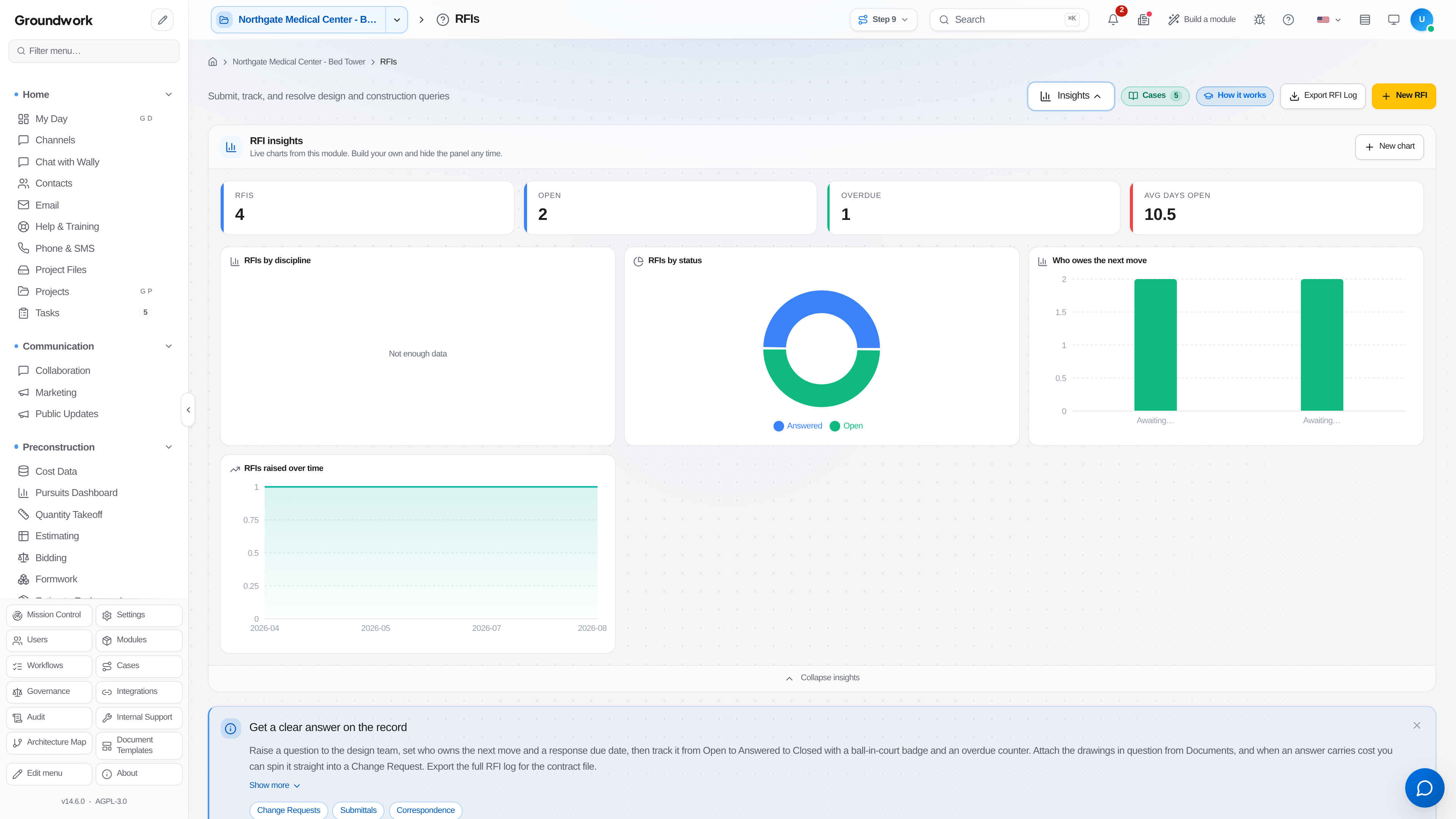
Every open RFI shows on the responsible party's My Day view and on the project's RFI log with its current ball-in-court holder. Overdue RFIs are flagged automatically, which matters later: an RFI log showing a documented 34-day response time is the evidence behind a delay claim, and it only exists if the dates were captured as they happened.
Where the record lives
The full RFI log lives under Project Management → RFIs, with each RFI's question, attachments, every routing step, and the final response retained permanently. The RFI log PDF can be exported for a monthly owner report or a claims package, sorted with overdue items called out.
Troubleshooting
An RFI has been answered but still shows open: the response has to be recorded against the RFI itself, not just replied to by email. Paste the response in and attach the reply so the log reflects the real state.
Can't link an RFI to a drawing sheet: the plan set has to be uploaded and sheet-indexed first under Project Files. A PDF dropped in without sheet indexing stores fine but has no sheets to link to.
The same question keeps coming back on different areas: check whether the original response was recorded as an RFI answer or issued as a design revision. If the drawings changed, the revised sheet needs to be uploaded, or the field keeps building from the superseded set.
Still stuck?
Send this straight to support (it goes directly to support@groundworkai.io).