
Build an estimate from a takeoff
Before you begin
Upload the plan set you're estimating from (PDF, or IFC/DWG for BIM-linked takeoff) to the project's files. Decide whether you're using AI-assisted quantity extraction or a manual takeoff: both feed the same estimate.
Steps
-
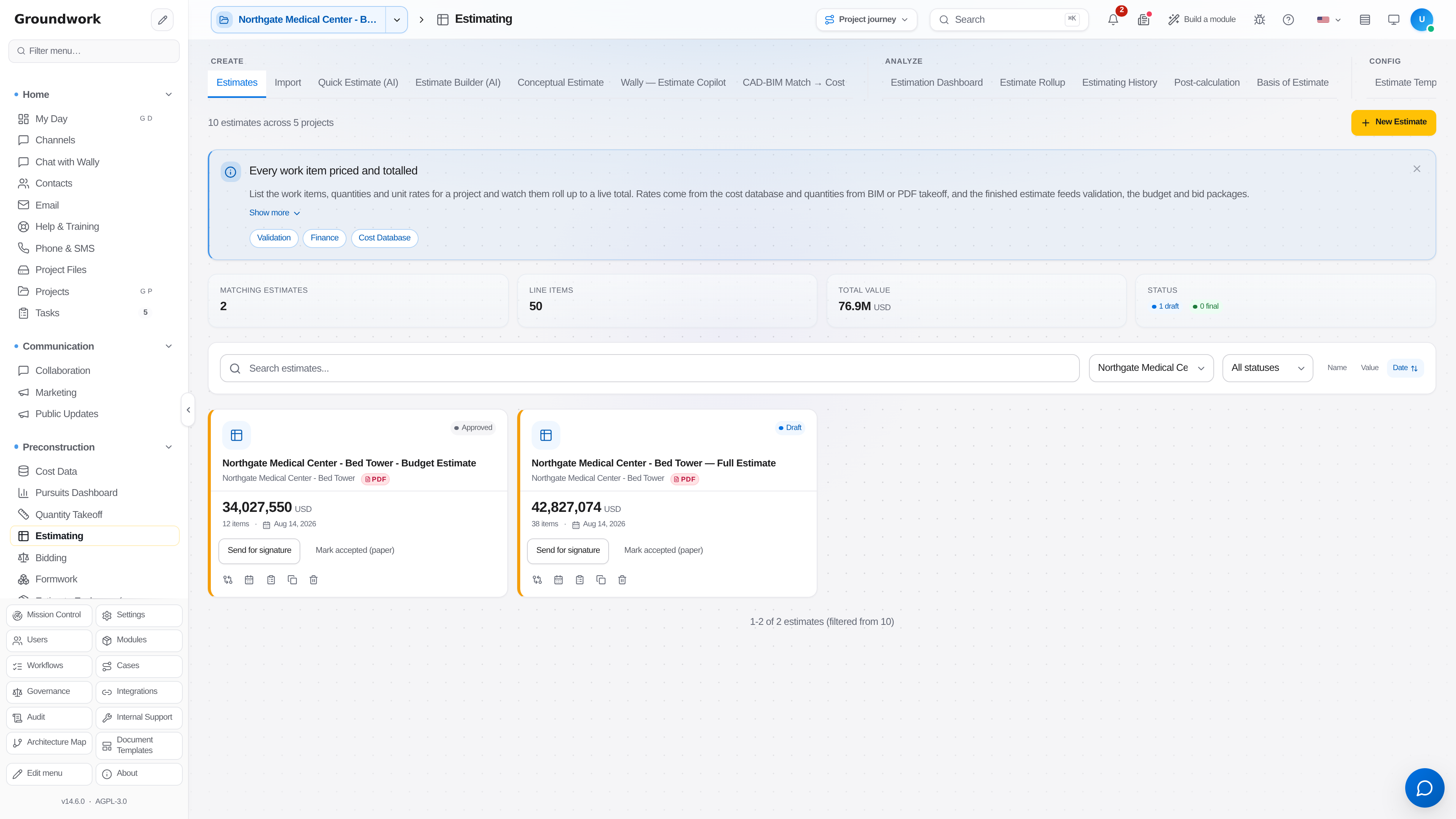
From Preconstruction → Estimating, on the Estimates tab, choose New Estimate, then pick the project and select a cost database (a regional pricing pack, or your own company cost history).
-
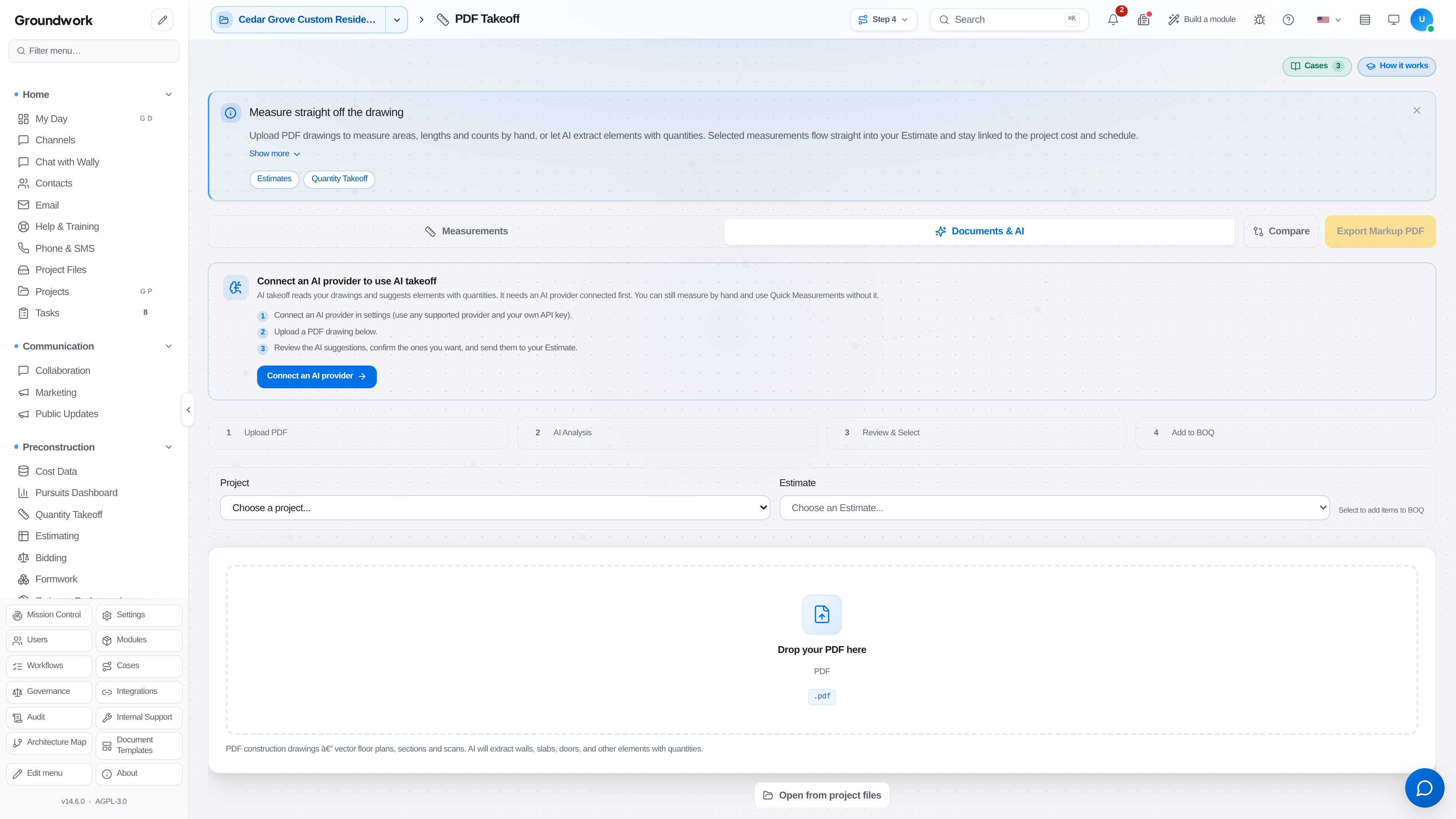
Run Quantity Takeoff against the uploaded plans. If using AI-assisted extraction, review each AI-detected quantity. This is a review step, not a rubber stamp, and the estimate's QA scoring reflects how much of the estimate is still AI-only versus human-verified.
-
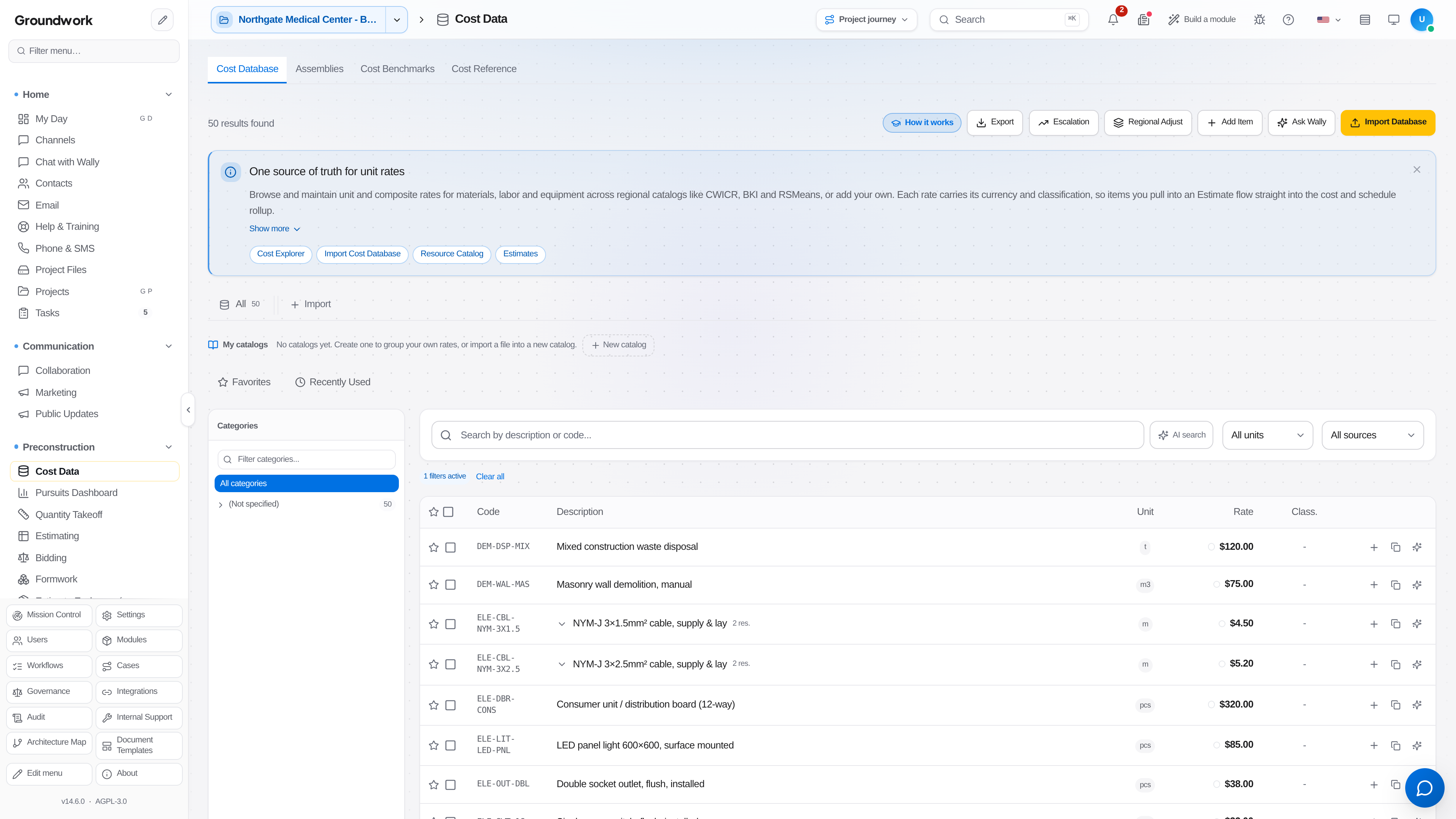
Assemblies and unit costs populate line items automatically from the cost database; adjust any that don't match your actual market conditions.
-
Review the QA panel: it flags things like unpriced items, wage-floor issues on federal work, and unusually large scope gaps before you commit to a number.
-
Generate the Basis of Estimate document, which explains assumptions and exclusions alongside the numbers. This is what actually gets asked about in a bid review, not just the total.
-
Mark the estimate Final once it's ready to move into bidding or a proposal.
What happens next
A finalized estimate feeds directly into bid leveling (if you're bidding out scopes to subs) and, if awarded, becomes the starting schedule of values for the project's budget. The number you bid and the number you're held to are the same number, not two versions that have to be reconciled after award.
Where the record lives
Every estimate revision is retained under Preconstruction → Estimating → Estimating History, including which line items were AI-detected versus human-verified at the time it was finalized: useful if a bid is questioned after the fact.
Troubleshooting
A line item has no unit cost: the QA panel should have flagged this before finalizing; check the cost database region matches the project location, since a cost pack for the wrong region can leave classifications with no matching entry.
Estimate total looks too low against a comparable past project: check the QA panel's scope-gap flag first; a systematically low estimate is very often a missed division, not a genuinely lower-cost job.
Still stuck?
Send this straight to support (it goes directly to support@groundworkai.io).