
Track budgets, commitments, and actual cost
Before you begin
You need an awarded project with a finalized estimate and a cost code structure already configured. The winning estimate becomes the original budget, so if the estimate was coded loosely, the budget inherits that looseness. Decide up front whether you are managing contingency as a separate budget line or as an unallocated reserve, because the two produce different-looking cost reports and mixing them mid-job is confusing.
Steps
-
From the project, go to Finance → Finance → Billing & Budgets and open the Budgets tab, where Create Budget from Estimate builds the original budget from the estimate. Line items carry their cost codes across, so nothing needs rekeying.
-
Lock the original budget. Everything after this is a budget transfer or an approved change, and both leave a trail. An original budget that quietly drifts is a cost report nobody trusts.
-
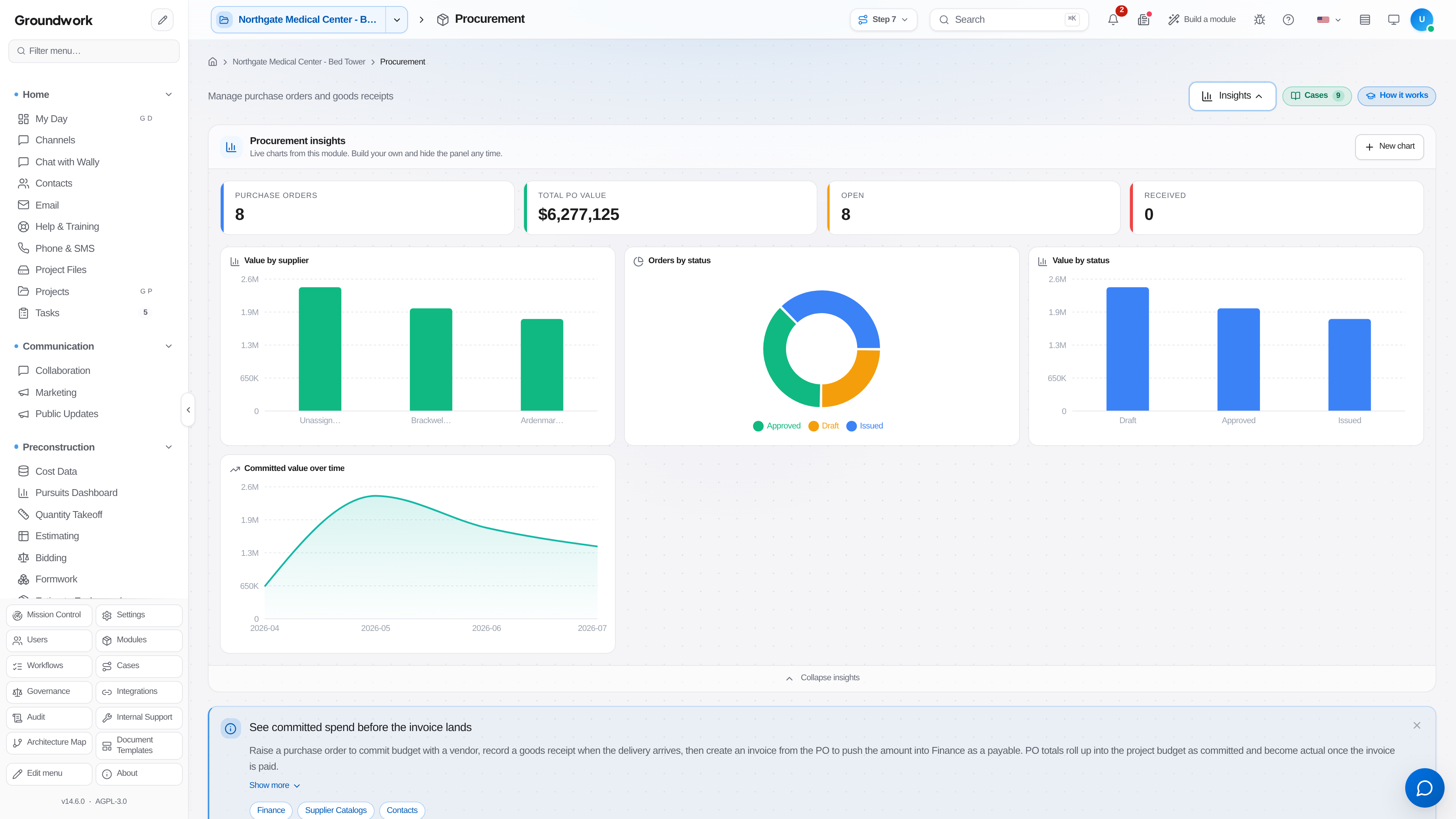
Commit cost as you buy it. Issue purchase orders for material and equipment under Procurement → Procurement → Purchase Orders, and execute subcontracts for bought-out scopes. Each commitment reduces the uncommitted balance on its budget lines.
-
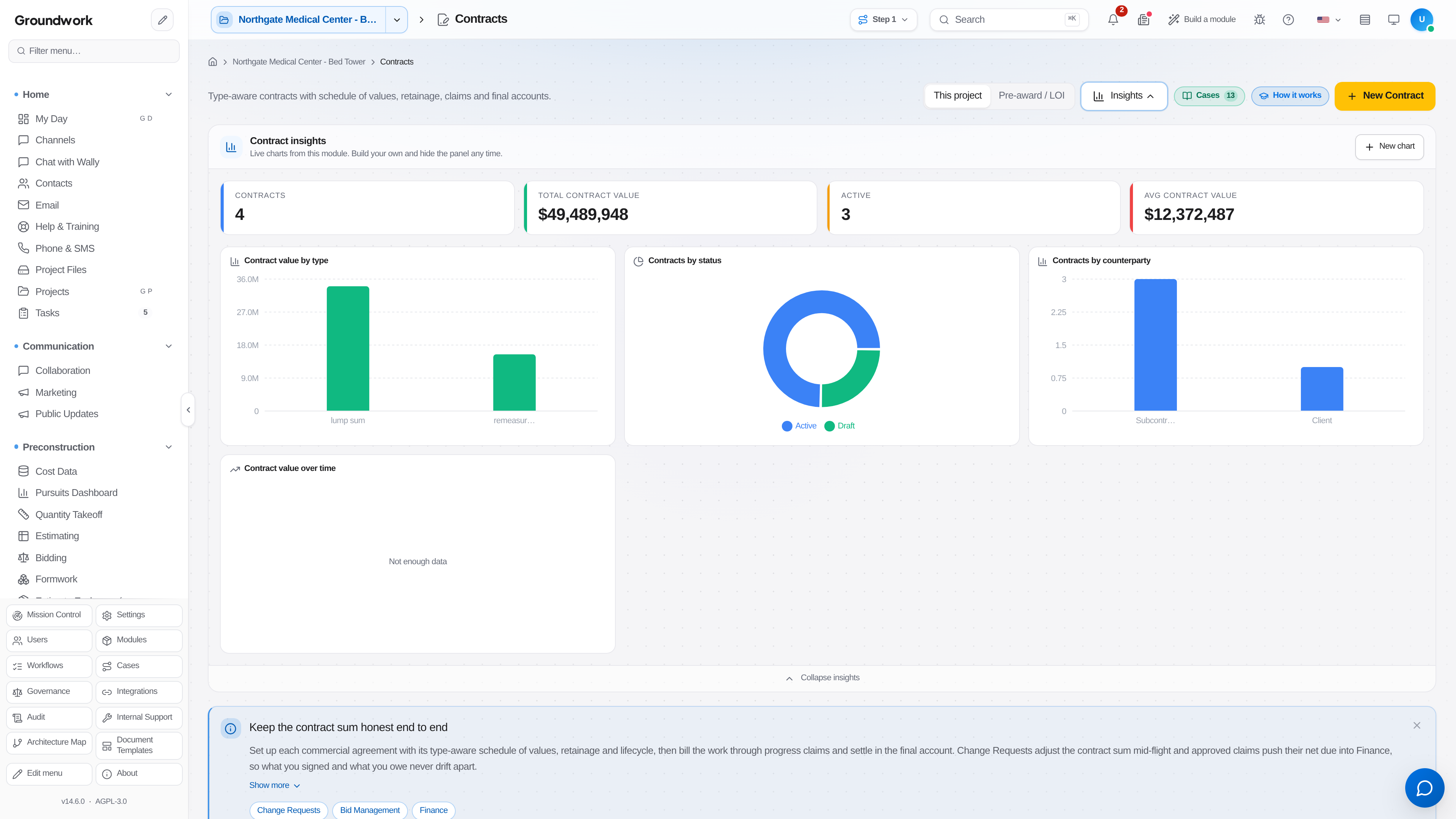
Make sure every commitment has an executed document behind it: subcontracts are kept under Subcontractors, and owner and client contracts in the Contracts register. A verbal commitment that shows on the cost report and has no signed subcontract is the gap that turns into a dispute.
-
Let actuals accumulate: field time entries post labor, approved vendor invoices post material and subcontract cost, and equipment costing allocates fleet time to the job.
-
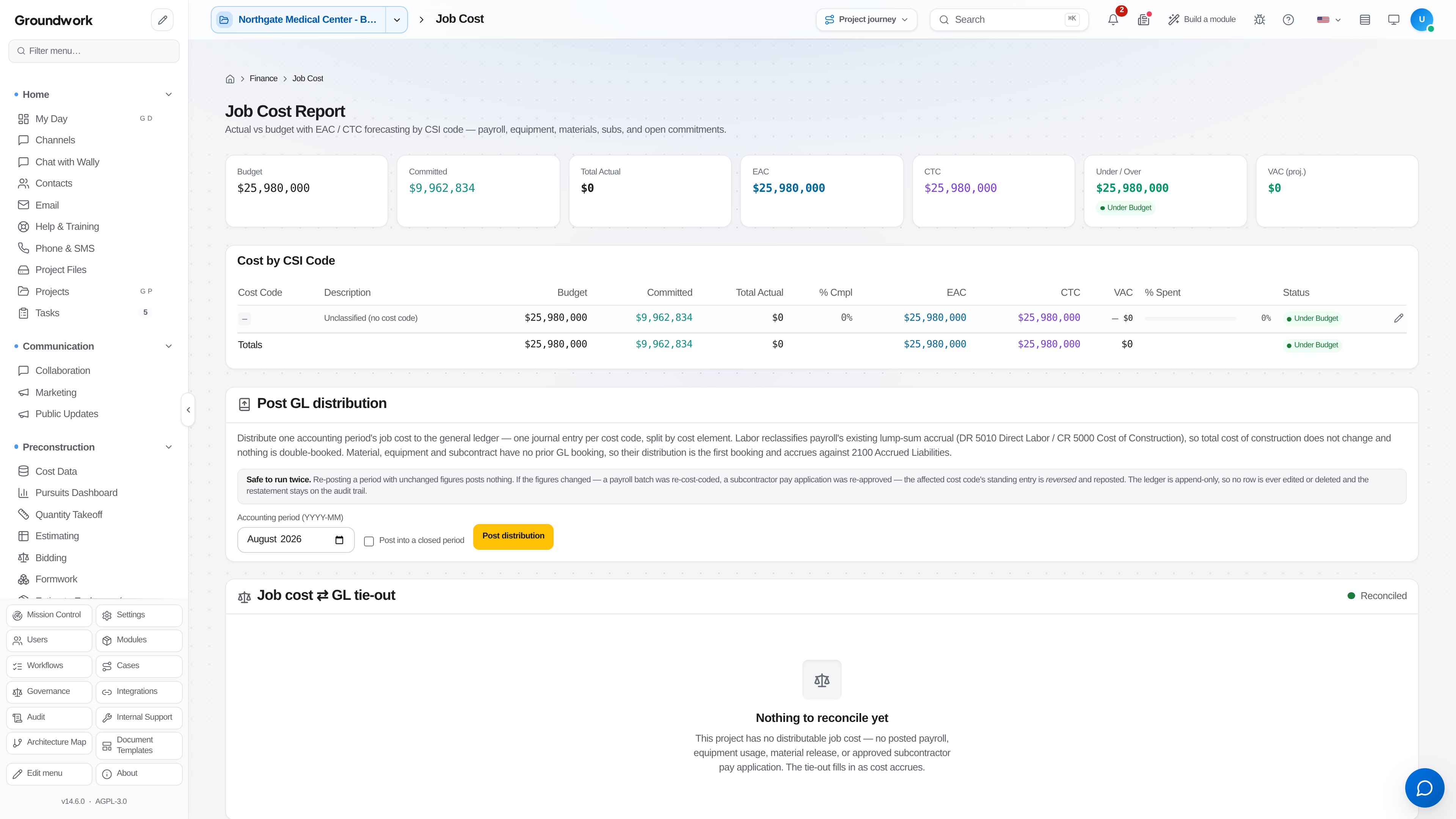
Read the job cost report. The columns that matter are original budget, approved changes, revised budget, committed, actual to date, cost to complete, and forecast at completion. The forecast is where judgment lives, and it should be reviewed monthly by the person who owns the work rather than computed and forgotten.
-
Process budget transfers between cost codes when the plan changes without the contract value changing. Transfers require a reason and leave the total intact, which makes them auditable in a way that silent edits are not.
-
Review the work-in-progress schedule at period close. Overbilling and underbilling by job is the number your surety and your bank ask about.
What happens next
Approved change orders adjust the revised budget and the contract value together, so the two cannot drift apart. Cost data feeds the pay application's schedule of values, meaning what you bill and what you cost are built from the same structure. Approved job cost distributes to the general ledger through the accounting connector, and the drift detector compares both sides so a posting that failed silently is caught rather than discovered at year end.
Where the record lives
Budget versions, every transfer with its reason and approver, all commitments, and the full actual cost detail are retained under the project's Finance area. The job cost ledger is append-only and hash-chained, so a cost entry cannot be edited away after the fact. Corrections post as corrections, which is what an auditor expects to see.
Troubleshooting
Committed cost exceeds the budget on a line: this is the report doing its job. Either the buyout came in over the estimate, in which case forecast the overrun now, or the commitment landed on the wrong cost code, in which case fix the coding on the purchase order rather than adjusting the budget to match.
Actual cost appears with no matching commitment: usually a field-purchased item or a vendor invoice coded directly to the job without a purchase order. Set a policy threshold above which a purchase order is required, since chasing every $60 receipt costs more than it saves.
Forecast at completion never moves: nobody is updating it. The system computes a mechanical forecast from committed and actual cost, and it is a starting point that a project manager who has walked the job should be overriding with a real number.
Still stuck?
Send this straight to support (it goes directly to support@groundworkai.io).