
Create a change order
Before you begin
You'll need the project's active budget in place (change orders apply against it) and a clear sense of what's changing: added scope, a unit-price adjustment, or a schedule-driven cost. Have supporting documentation (an RFI response, a directive, a proposal) ready to attach.
Steps
-
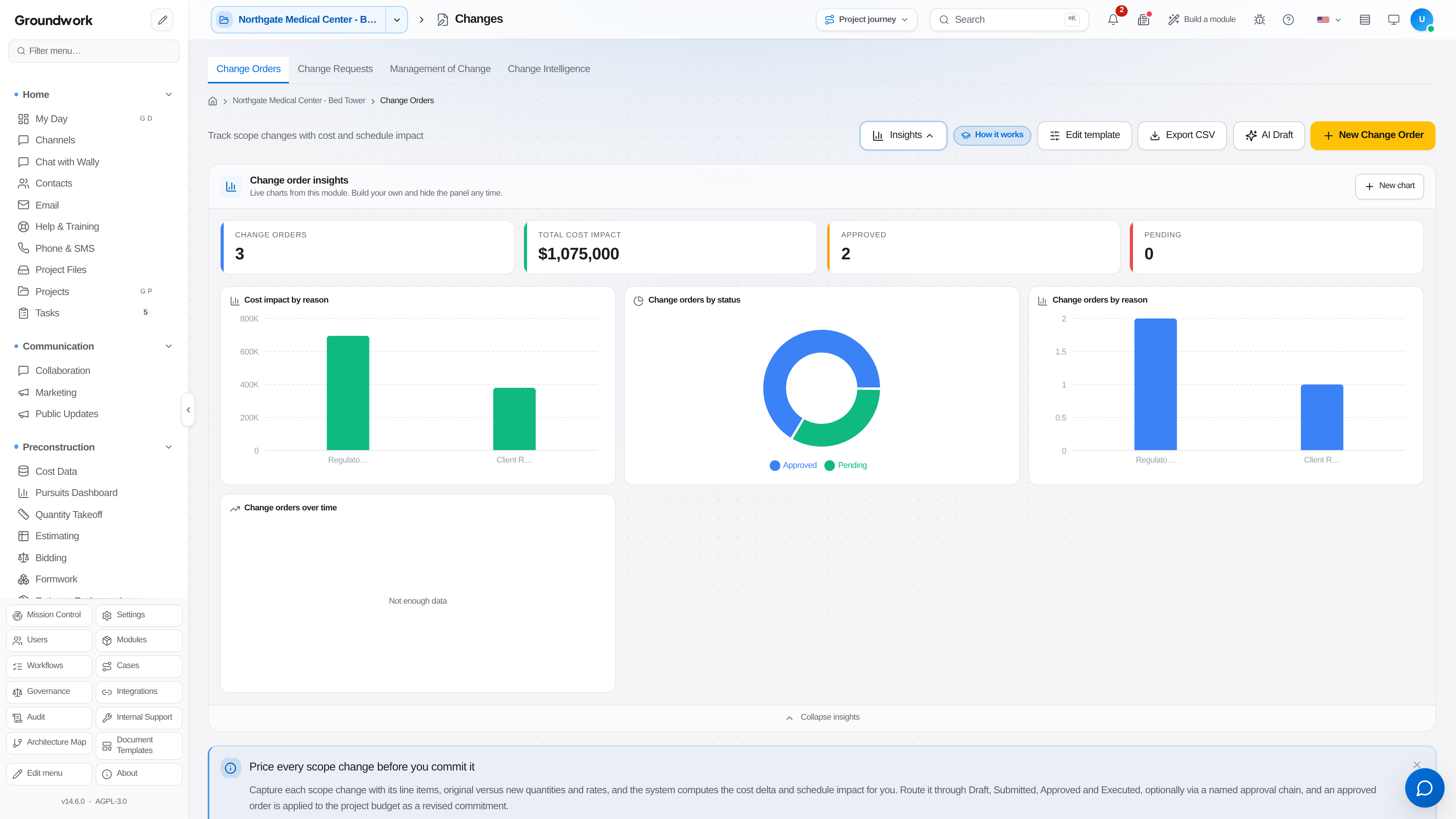
From the project, go to Change → Changes → Change Orders and choose New Change Order.
-
Select a reason category (regulatory, client request, unforeseen condition, design change). This feeds the change-order-insights reporting later.
-
Add line items with original vs. new quantities and rates; the cost delta computes automatically per line and rolls up to a total.
-
Attach supporting documents (the RFI, directive, or proposal that justifies the change).
-
Route it through approval (Draft → Submitted → Approved → Executed), optionally through a named multi-step approval chain if your company requires sign-off above a dollar threshold.
-
Once Executed, the change order is automatically applied to the project's revised budget. No separate manual budget adjustment needed.
What happens next
An executed change order updates the project's committed cost and appears as an available line item the next time you build a pay application, so billing for approved scope changes doesn't require re-entering the same numbers.
Where the record lives
Every change order's full history (draft, each approval step, who approved it and when, and the final executed version) is retained permanently under Change → Changes → Change Orders, and shows up in the project's audit trail even after the underlying budget line has changed.
Troubleshooting
Change order total doesn't match what I expected: check whether waste factors or markup are applied per-line versus at the total; both are supported, but a mismatch here is the most common cause of an unexpected total.
Need to void an executed change order: executed change orders can't be edited in place (this preserves the audit trail), but can be voided with a reason, which reverses its budget impact and creates a linked void record rather than deleting history.
Still stuck?
Send this straight to support (it goes directly to support@groundworkai.io).